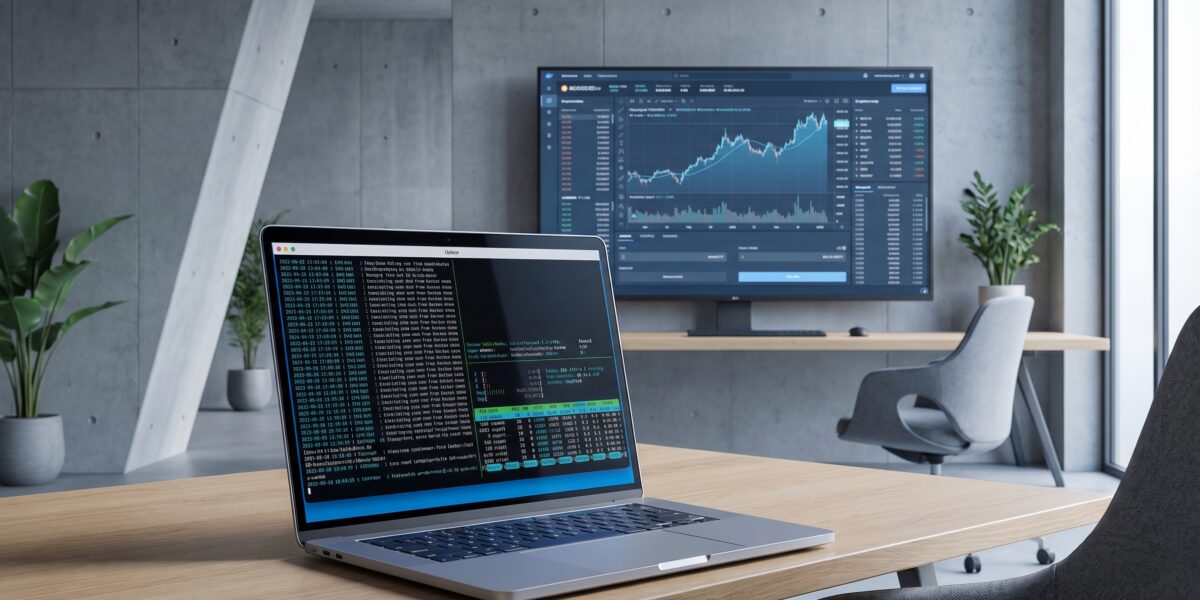
Running Freqtrade inside Docker provides environment consistency, security isolation, and operational scalability for cryptocurrency trading bots. The official Docker image guarantees identical Python versions, library dependencies, and system environments across development, testing, and production deployments.
TL;DR
- Docker ensures identical environments between backtesting and live trading
- Container isolation provides critical security for trading operations
- Standardized deployment works across any system with Docker installed
- Operational scalability enables multiple bot instances with minimal overhead
- Professional infrastructure required for serious trading operations in 2026
Key takeaways
- Docker provides environment consistency critical for reproducible trading results
- Container isolation significantly improves security compared to native installations
- The operational overhead of managing multiple bots decreases substantially with Docker
- Proper bankroll management requires the stability that containerization provides
- Docker has become the standard deployment method for professional trading operations
What Freqtrade in Docker Actually Is (And Isn’t)
Running Freqtrade in Docker means packaging the entire application—Python runtime, dependencies, strategy files, and configuration—into a single, portable container. The output is a process that behaves identically on Ubuntu VPS, macOS, or AWS instances, requiring only Docker on the host system.
This approach isn’t a magic performance solution or strategy edge creator. It won’t make losing strategies profitable but ensures profitable strategies execute reliably. The security benefits come from isolation, not complete protection—you still need secure API keys, VPS hardening, and Docker daemon security.
Think of Docker as shipping your entire trading desk in a sealed crate. You can deploy it anywhere with power (Docker Engine) and immediately work in your exact, familiar setup.
Why Containerization Isn’t Optional in 2026
The crypto trading landscape has matured beyond running scripts in terminal windows. Modern strategies often pull data from multiple sources requiring complex dependency graphs that become unmanageable without containers.
Every major cloud provider offers optimized Docker hosting, making containers the expected deployment method. Security expectations have increased with exchange sub-accounts and API key permissioning, requiring isolated execution environments. Reproducible research demands environmental consistency to distinguish strategy performance changes from system issues.
Docker represents the minimum viable professionalism for automated trading operations today. It’s the table stake for serious operators managing meaningful capital.
Core Mechanics: How Docker Encapsulates Your Trading Stack
The Docker workflow involves four key components working together. The official freqtrade/freqtrade:stable image serves as the immutable blueprint containing the minimal Linux OS, Python 3.11+, and installed Freqtrade code.
The docker-compose.yml file acts as your deployment manifest, defining which image to use, host directory bind mounts, environment variables, and resource limits. When executed, Docker creates a running container instance applying these settings.
Data persistence occurs through bind mounts linking your host’s user_data directory to the container. All trades, logs, and config updates write to the host, surviving container restarts or recreations.
The development workflow becomes streamlined: edit strategy files on your host machine, execute commands inside the running container, and reload strategies without rebuilding containers.
Real-World Deployment: A Production-Grade Walkthrough
A professional deployment requires proper project structure, hardened configuration, and validation testing. Start with a scalable directory structure separating Docker files, environment secrets, and user data.
The production-grade docker-compose.yml should include restart policies for resilience, resource limits to prevent system overload, and log rotation to manage disk space. Environment variables stored in a .env file keep API keys out of version control.
Critical security measures include using exchange sub-accounts with “Spot Trading Only” and “No Withdrawal” permissions, regardless of containerization. The container provides isolation but doesn’t eliminate responsible key management.
Alternative Deployment Methods: The Trade-Off Table
| Method | Setup Complexity | Environment Consistency | Isolation & Security | Operational Overhead | Best For |
|---|---|---|---|---|---|
| Docker (Official Image) | Low | Perfect | High | Very Low | Almost everyone |
| Virtualenv (Pure Python) | Medium | Fragile | None | High | Debugging with native IDE tools |
| Manual Install (System Python) | High | Very Poor | None | Very High | Legacy systems only |
| Kubernetes | Very High | Perfect | Very High | Extreme | 100+ bot instances |
For most operators, Docker provides the best balance of consistency, security, and manageable overhead. The environmental guarantees form the foundation of trustworthy backtesting and live execution.
The Implementation Toolkit: What You Actually Need
The essential toolset remains focused: Docker and Docker Compose for the core engine, VS Code with Docker and Remote-SSH extensions for editing, and Git for version control of strategy files and configurations.
Monitoring should include Docker native commands for log tailing and resource stats, Freqtrade’s built-in notifications for trade alerts, and simple system checks to ensure container availability. Regular backups of the user_data directory to encrypted cloud storage complete the professional setup.
From Cost Center to Earning Engine: The Bankroll Math
Treating bot infrastructure professionally transforms it from hobby to business. The calculation involves VPS costs, valued time expenditure, and proper capital allocation using conservative risk management principles.
The dry-run phase constitutes necessary R&D expense, while live trading should begin with a “validation bankroll”—amounts psychologically prepared for complete loss. Only after proving expected return profiles should capital scaling occur.
The real leverage comes from building verifiable, automated systems that demonstrate serious operation. This foundation enables capital management for others, strategy development services, or track records that attract investment.
Operator Risks: Myths vs. Hard Facts
Myth: Docker makes trading bots completely secure.
Fact: Docker provides isolation, but security requires exchange sub-accounts with proper permissions, VPS hardening, and Docker daemon security.
Myth: Containerized bots can run unattended indefinitely.
Fact: Automation handles execution, not supervision. Monitoring exchange connectivity, strategy performance drift, and market regime changes remains essential.
Myth: Backtest results perfectly match live performance in Docker.
Fact: Docker ensures environmental consistency but cannot fix poor backtest logic, unrealistic slippage assumptions, or API differences.
Myth: Docker expertise is required for operation.
Fact: Five basic commands manage most operations: up, down, logs, exec, and ps.
The core risk remains strategy risk—markets ceasing to respond to your bot’s patterns. No infrastructure can compensate for worthless edge.
Frequently Contemplated Questions (FCQs)
How do I add custom Python libraries to the Docker image?
Create a Dockerfile starting with FROM freqtrade/freqtrade:stable and add RUN pip install your-library. Build the custom image and reference it in your compose file instead of modifying the official image directly.
What’s the process for updating Freqtrade versions?
Change the image tag in your docker-compose.yml, run docker compose pull to fetch the new image, then docker compose up -d to restart using the updated image with your persisted data.
How do I debug a stopped bot?
Check recent errors with docker compose logs --tail=100, verify container status with docker ps -a, examine host system resources, and test manually by entering a container shell with docker compose exec freqtrade /bin/bash.
Can I run multiple bots on one VPS?
Yes. Create separate directories for each bot with their own compose files and user_data configurations. Use different container names and external ports if using the API server.
Actionable Next Steps: Your 7-Day Setup Checklist
Follow this sequence for systematic deployment:
- Day 1: Provision VPS, create sudo user, setup SSH keys, install Docker
- Day 2: Configure VS Code with Remote-SSH, create project structure
- Day 3: Write initial compose and config files with dry-run enabled
- Day 4: Start with sample strategy, verify bot operation via logs
- Day 5: Implement actual strategy logic, run backtests inside container
- Day 6: Setup monitoring and notifications
- Day 7: Observe dry-run performance, validate against expectations
Pre-launch risk checks must include exchange sub-accounts with limited permissions, position sizing limiting risk to ≤2% per trade, dry-run operation through full market cycles, and defined stopping conditions for drawdown events.
Glossary: Terms That Matter
Container: Standardized, lightweight executable software package including everything needed to run an application.
Image: Immutable blueprint (filesystem layers + metadata) used to create containers.
Dockerfile: Text script with instructions to build custom Docker images.
docker-compose.yml: YAML file defining services, networks, and volumes for multi-container applications.
Bind Mount: Method linking host directories/files into containers for persistent, two-way data flow.
Dry-Run: Mode where bots fetch live data and execute logic but only simulate trades.
Exchange Sub-Account: Segregated account under main exchange account for permission limiting and risk isolation.
References
- Freqtrade GitHub Repository – Official documentation and source code
- Docker Official Documentation – Comprehensive container platform guides
- Trading Bot Platform Comparison 2026 – Analysis of automated trading platforms
- Quantum AI Trading Bots Guide – Advanced trading automation techniques
- Docker Best Practices – Production container deployment guidelines
- Polymarket CLOB API Guide – Prediction market automation techniques