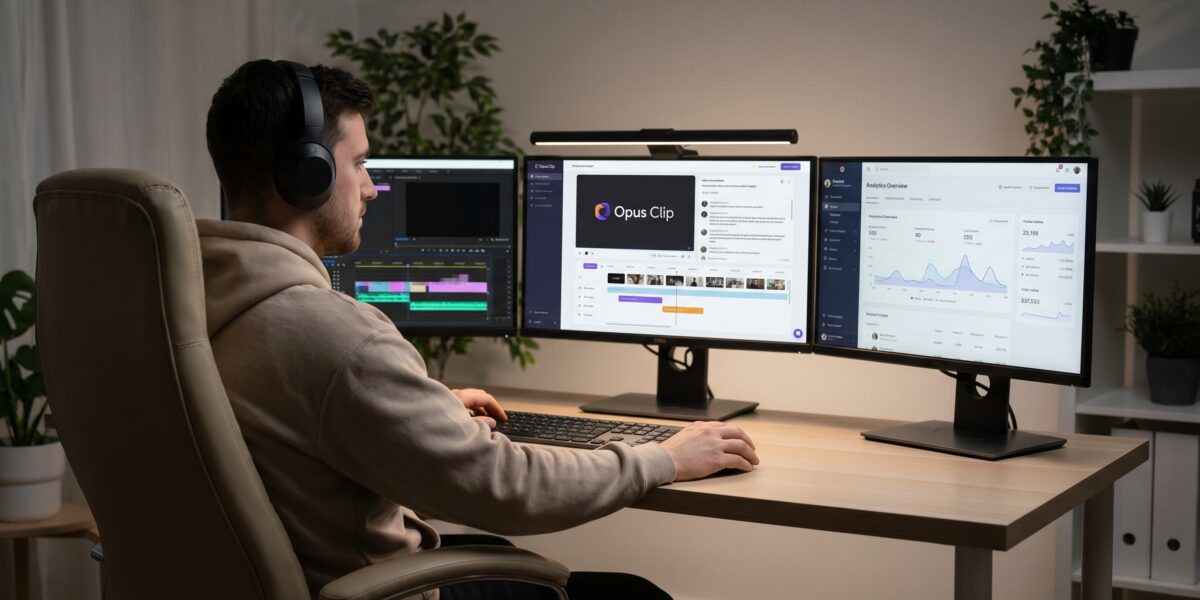
Opus Clip is a powerful AI tool that helps creators and businesses repurpose long-form content into viral short clips quickly, but most users make critical mistakes including expecting perfect output without quality input, misunderstanding its role as a supplement rather than complete solution, and encountering issues with its credit-based system instead of traditional free trial.
TL;DR
- Opus Clip excels at speed, not perfection—it’s a starting point, not a finished product
- Quality input is non-negotiable: clean audio, structured talking points, and good lighting dramatically improve results
- The AI Virality Score is your secret weapon for predicting content performance, but it requires interpretation
- No traditional free trial exists—understand the credit system before committing
- Agentic workflows combining Opus Clip with other tools yield the best results
- Career leverage comes from mastering the entire pipeline, not just clipping videos
- Alternatives like Descript or Vizard better serve specific editing or transcript-first needs
Key takeaways
- Opus Clip requires strategic input quality—clean audio and structured content yield dramatically better results
- The AI Virality Score predicts performance but isn’t a guarantee—interpret scores between 70-100 carefully
- Agentic workflows combining Opus Clip with tools like Descript or Canva produce the best outcomes
- No traditional free trial exists—understand the credit system before committing to paid plans
- Career advancement comes from mastering the entire content pipeline, not just automated clipping
What Is Opus Clip?
Opus Clip is an AI-powered web application that analyzes long-form videos (like podcasts, webinars, or interviews) and automatically generates short-form clips optimized for social platforms. It uses natural language processing to identify key moments, creates multiple clip variations, and provides virality predictions.
How it technically works:
- You upload a video (up to 4K resolution supported)
- AI transcribes and analyzes content for emotional peaks, key phrases, and context
- The system generates multiple clip candidates with automatic captions
- You review, edit, and export in various aspect ratios
Real-world application: A consultant records a 60-minute client strategy session, uses Opus Clip to extract 10 key insights, and posts them across LinkedIn and Instagram—tripling their lead generation.
Why Opus Clip Matters Right Now
Short-form video commands attention algorithms. Platforms prioritize video, and audiences prefer digestible content. Opus Clip addresses three critical realities:
- Content volume demand: Consistent posting is required for algorithm favor
- AI quality threshold: Current AI models finally deliver usable results
- Workflow integration: Professionals need tools that connect to existing systems
How Opus Clip Actually Works: Beyond the Basics
Core Workflow Steps
- Upload: Drag-and-drop interface supports MP4, MOV, AVI formats (5GB max)
- Processing: AI analyzes speech patterns, visual cues, and context (5-15 minutes for 1-hour video)
- Clip generation: Produces 10-30 clip variations with automatic captions
- Customization: Trim clips, edit captions, adjust aspect ratios (9:16, 1:1, 16:9)
- Export: Download individually or batch export to social platforms
Advanced Features Most Users Miss
- Custom clip templates: Save your branding preferences (font, colors, positions)
- Batch processing: Queue multiple videos for overnight processing
- API access: Enterprise plans allow integration with content management systems
- Collaboration tools: Team members can review and comment on clips
Pro tip: Use the “priority processing” option during off-peak hours (9 PM-6 AM PST) for faster results.
Real-World Examples: Opus Clip in Action
Example 1: Educational Content Creator
Before: 2-hour live coding session → 3-4 manual clips per week
After Opus Clip: Same session → 15-20 auto-generated clips → 40% more engagement
Workflow:
- Records in 4K with separate audio track
- Uploads to Opus Clip with “educational content” preset
- Uses AI Virality Score to prioritize clips scoring above 85
- Adds custom outro frame with call-to-action
- Exports directly to YouTube Shorts and TikTok
Earning impact: Increased affiliate revenue by 22% through consistent clip posting.
Example 2: Corporate Communications Team
Challenge: Repurpose executive all-hands meetings for social media
Solution: Opus Clip + manual refinement workflow
Implementation:
- Upload recorded meeting (90 minutes)
- Generate 25 clips using “business communication” template
- Export to Descript for fine-tuning captions
- Final review by communications team
- Scheduled posting through Buffer integration
Result: 15% increase in executive visibility with 70% time reduction.
Opus Clip vs. Alternatives: When to Use What
| Tool | Best For | Strengths | Weaknesses | Price Range |
|---|---|---|---|---|
| Opus Clip | Quick social clips | Speed, virality scoring | Limited editing features | $19-99/month |
| Vizard | Interview highlights | Smart cropping, speaker detection | Less accurate transcription | $29-199/month |
| Munch | Marketing content | ROI analytics, trend data | Steeper learning curve | $49-299/month |
| Descript | Transcript-first editing | Full editing suite, collaboration | Less automated clipping | $15-30/month |
| Riverside | Recording + clipping | High-quality recording integrated | Less sophisticated AI clipping | $19-99/month |
When to choose Opus Clip: You need rapid turnaround for social content and want virality predictions.
When to choose alternatives:
- Descript: When precision caption editing matters most
- Vizard: For multi-speaker content with visual cropping needs
- Munch: When performance analytics drive content decisions
Step-by-Step Implementation Guide
Phase 1: Setup and Configuration
- Create account at opusclip.ai (use work email for better support)
- Configure settings:
- Set default aspect ratio based on primary platform
- Upload brand kit (logo, colors, fonts)
- Connect social media accounts for direct posting
- Install browser extension for one-click uploading from YouTube/Vimeo
Pitfall: Free accounts have limited branding options—upgrade to Pro if brand consistency matters.
Phase 2: Content Preparation
- Record with clipping in mind:
- Use high-quality microphone (clean audio is non-negotiable)
- Maintain consistent lighting
- Place speaker in frame center
- Avoid rapid scene changes
- Edit source video (if needed):
- Remove long pauses
- Normalize audio levels
- Add chapter markers for key sections
Phase 3: Processing and Optimization
- Upload video (under 5GB, MP4 recommended)
- Select processing preset:
- Social viral: For TikTok/Reels
- Educational: For tutorial content
- Podcast: For interview highlights
- Review AI Virality Scores:
- Scores above 85: Likely to perform well
- Scores 70-85: Needs minor optimization
- Scores below 70: Consider reworking content
- Batch edit clips:
- Adjust caption timing across multiple clips
- Apply brand template to all selections
- Export in multiple aspect ratios simultaneously
Time saver: Use keyboard shortcuts (Space to play/pause, → to jump 5 seconds) during review.
Tools, Vendors, and Pricing Reality
Opus Clip Pricing Tiers
- Free: 60 minutes monthly processing, watermarked exports, basic analytics
- Pro ($19/month): 180 minutes, no watermark, custom branding, priority processing
- Enterprise ($99/month): Unlimited processing, API access, team collaboration, dedicated support
Critical note: No traditional free trial—you get 60 free minutes upon signup. Monitor usage carefully to avoid unexpected charges.
Essential Complementary Tools
- Descript: For fine-tuning captions and audio ($15/month)
- Canva: For adding custom frames and graphics ($12.99/month)
- Buffer: For scheduling and analytics ($6/month)
- OBS Studio: For high-quality recording (free)
Risks, Pitfalls, and Myths vs. Facts
Common Risks
- Over-reliance on automation: Opus Clip misses nuance—always review clips
- Brand inconsistency: Automated captions may not match brand voice
- Content theft risk: Avoid uploading confidential or prerelease content
- Platform algorithm changes: What works today might not work tomorrow
Myths vs. Facts
| Myth | Fact |
|---|---|
| Opus Clip creates ready-to-post content with no editing needed | It creates starting points—expect to spend 2-5 minutes per clip refining |
| Higher virality score guarantees viral success | It predicts potential—actual performance depends on audience and timing |
| Opus Clip replaces video editors | It complements editors by handling repetitive tasks |
| The free plan is sufficient for professional use | Free plan limits make it unsuitable for consistent content creation |
How to Use Opus Clip to Advance Your Career
Freelance Services
Offer “long-form to short-form repurposing” services:
- Charge $150-500 per hour of source video
- Deliver 10-20 optimized clips
- Include platform-specific formatting
Market opportunity: Most podcasters and webinar hosts need this service but don’t have time.
In-House Career Leverage
- Marketing teams: Demonstrate 40% content output increase
- Content creators: Show expanded reach through clip repurposing
- Agencies: Offer as value-add service to retain clients
Content Business Models
- Affiliate marketing: Use clips to drive traffic to offers
- Course promotion: Extract teasers from longer content
- Client acquisition: Show expertise through clip snippets
Real example: A financial advisor uses Opus Clip to create 30-second market updates from weekly analyses—generates 3-5 qualified leads per week.
Frequently Asked Questions
Does Opus Clip work with non-English content?
Yes, but accuracy decreases for languages other than English, Spanish, French, and German. Expect 15-20% lower transcription accuracy.
Can I use Opus Clip for YouTube videos?
Yes—install the browser extension to clip directly from YouTube. Check copyright status first.
How long does processing take?
Approximately 1 minute of processing per 1 minute of video, but can vary with server load.
What happens if I exceed my monthly minutes?
Processing pauses until next billing cycle or you upgrade. No automatic overage charges.
Can I cancel anytime?
Yes—cancel through account settings. You retain access until billing period ends.
Does Opus Clip store my videos?
Videos are stored encrypted and deleted after 30 days unless you specify longer retention.
Can I collaborate with team members?
Enterprise plan only—Pro plan supports single user only.
Key Takeaways: Actionable Next Steps
- Start with free minutes: Test Opus Clip with your best 60 minutes of content
- Analyze results: Review virality scores against actual performance
- Develop workflow: Map how Opus Clip fits with your other tools
- Calculate ROI: Determine if time saved justifies cost
- Implement gradually: Start with one content type before expanding
Glossary of Key Terms
AI Virality Score: Opus Clip’s algorithm that predicts clip performance based on current trends
Agentic workflows: AI systems that orchestrate multiple tools to complete complex tasks
Aspect ratio: Proportional relationship between video width and height (9:16, 1:1, etc.)
Transcript-first editing: Editing approach focused on text captions rather than visual timeline
Processing minutes: Measurement of Opus Clip usage based on source video length
Brand kit: Collection of logos, colors, and fonts for consistent branding across clips
References
- Opus Clip Official Documentation
- Stateshift Blog: Common Opus Clip Workflow Mistakes
- Recast: AI Video Tools Comparison
- Red 11 Media: AI Virality Score Explained
- Ssemble: Opus Clip Review and Free Trial Details
- AI 51.72% Online Content: Stanford’s Insights & Complete Guide to Its Impact
- OpenAI’s 2026 AI Updates: What Just Dropped and How to Use It