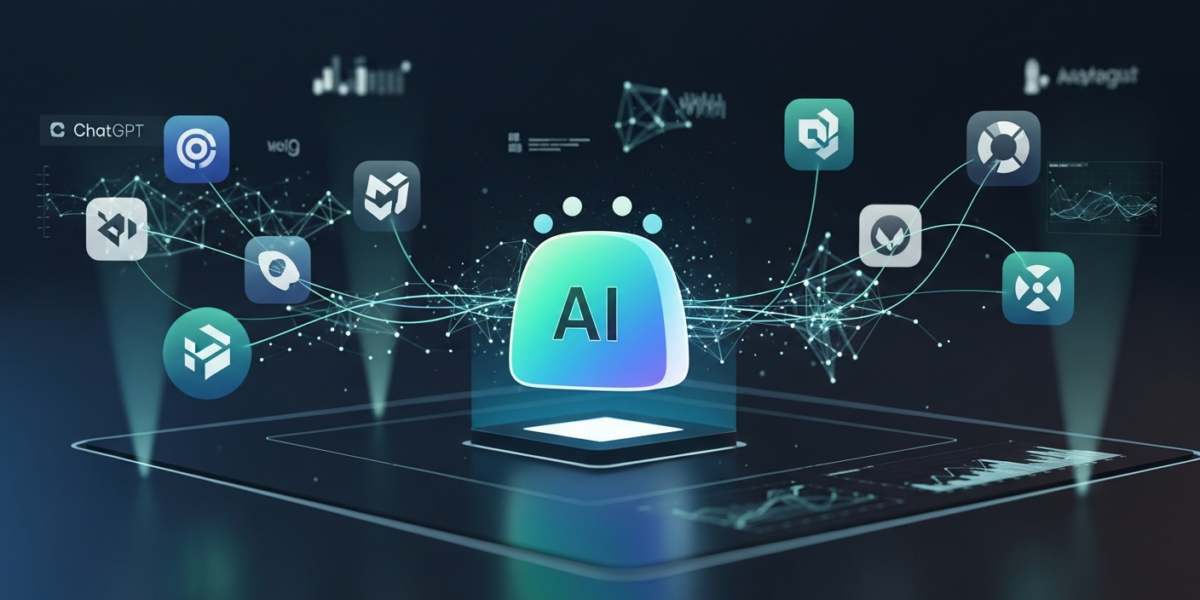
OpenAI introduced workspace agents in ChatGPT on , as Codex-powered AI agents designed to automate complex, repeatable workflows for teams [1, 4]. These agents run in the cloud, securely connect various tools, and help organizations scale their work by streamlining operations and handling long-running tasks across teams [3, 8].
| Attribute | Detail |
|---|---|
| Released by | OpenAI |
| Release date | |
| What it is | Codex-powered AI agents for automating team workflows in ChatGPT. |
| Who it is for | Teams and organizations using ChatGPT Business and Enterprise. |
| Where to get it | ChatGPT sidebar (research preview in Business/Enterprise). |
| Price | Not yet disclosed. |
- OpenAI launched workspace agents in ChatGPT on [1, 4].
- These agents are Codex-powered and automate complex team workflows [4].
- Workspace agents run in the cloud and connect securely across tools [1].
- They are available in research preview for ChatGPT Business and Enterprise users [1].
- Users can create agents by describing workflows in the ChatGPT sidebar [1].
- Workspace agents are shared AI agents that automate repeatable, end-to-end tasks across tools and teams [3, 6].
- They are powered by Codex and operate within ChatGPT Business and Enterprise environments [1, 4].
- Teams can build agents by describing workflows in natural language within ChatGPT [1].
- These agents are designed to handle complex, long-running workflows securely in the cloud [1, 3].
- OpenAI plans to enable conversion of custom GPTs into workspace agents in the future [4].
What are Workspace Agents?
Workspace agents are Codex-powered AI agents within ChatGPT that automate complex, repeatable workflows for teams [1, 4]. These agents are shared, run in the cloud, and help streamline operations across various tools securely [1, 3, 8]. They are designed to handle long-running workflows and complete end-to-end tasks independently [3, 6].
What is New vs. Previous Versions?
Workspace agents represent the next step beyond custom GPTs, offering enhanced capabilities for team-wide automation [7].
| Feature | Custom GPTs | Workspace Agents |
|---|---|---|
| Scope | Individual or limited sharing. | Shared across teams and organizations [3, 7]. |
| Automation | Task-specific, often single-step. | Complex, long-running, end-to-end workflows [3, 6]. |
| Tool Integration | Limited, often through custom actions. | Connects across multiple tools securely [1]. |
| Deployment | Individual user access. | Cloud-based, scalable for teams [1]. |
| Underlying Tech | GPT models. | Codex-powered [4]. |
| Future Integration | Can be converted into workspace agents [4]. | Not applicable. |
How Do Workspace Agents Work?
Workspace agents operate by understanding and executing multi-step workflows described by users [1].
- Workflow Description: Users describe a frequent team workflow in the ChatGPT sidebar [1].
- Agent Creation: ChatGPT guides users step-by-step to build the agent based on the description [1].
- Execution: The Codex-powered agent runs the workflow in the cloud, connecting necessary tools [1, 4].
- Automation: The agent independently completes end-to-end tasks and handles long-running processes [3, 6].
- Sharing: The created agent can be shared with teammates and across the organization [3, 7].
Who Should Care?
Builders
Builders should care as workspace agents offer a new platform for developing automated solutions for organizational workflows [2]. They can leverage these agents to create tools that connect various applications and streamline operations [2].
Enterprise
Enterprise organizations should care because workspace agents enable automation of repeatable tasks across departments [8]. This can lead to increased efficiency, reduced manual effort, and better resource allocation [8].
End Users
End users in teams can benefit from workspace agents by offloading repetitive or complex tasks [3]. This allows them to focus on more strategic work, improving overall productivity [3].
Investors
Investors should note that workspace agents represent OpenAI’s expansion into enterprise automation, potentially opening new revenue streams [7]. This move could strengthen OpenAI’s position in the competitive AI market [7].
How to Use Workspace Agents Today
Workspace agents are currently available in research preview for ChatGPT Business and Enterprise users [1].
- Access ChatGPT: Log in to your ChatGPT Business or Enterprise account [1].
- Navigate to Agents: Click on the “Agents” option located in the ChatGPT sidebar [1].
- Describe Workflow: Describe the workflow your team frequently performs [1].
- Follow Guidance: ChatGPT will provide step-by-step instructions to create your agent [1].
Risks, Limits, and Myths
- Context Maintenance: Ensuring shared context is maintained across long traces can be challenging [5].
- Complexity for Basic Tasks: Models might require extensive steps for seemingly simple operations [5].
- Skill Creation: Users might need to create specific “skills” for agents to perform tasks correctly [5].
- Research Preview: The feature is in research preview, indicating potential for changes or limitations [1].
- Myth: Agents are fully autonomous without human oversight: Agents automate tasks but still benefit from human guidance and skill definition [5].
FAQ
- What are OpenAI workspace agents?
- OpenAI workspace agents are Codex-powered AI agents in ChatGPT that automate complex, repeatable workflows for teams [1, 4].
- When were workspace agents released?
- Workspace agents were introduced by OpenAI on [1, 4].
- Which ChatGPT versions support workspace agents?
- Workspace agents are available in research preview for ChatGPT Business and Enterprise versions [1].
- How do I create a workspace agent?
- To create an agent, click “Agents” in the ChatGPT sidebar and describe your team’s workflow [1].
- Can workspace agents connect to other tools?
- Yes, workspace agents are designed to connect and run workflows across various tools securely [1].
- Are workspace agents shared?
- Yes, workspace agents are shared agents that can handle tasks across teams and organizations [3, 7].
- Will custom GPTs become workspace agents?
- OpenAI plans to allow conversion of custom GPTs into workspace agents in the future [4].
- What technology powers workspace agents?
- Workspace agents are powered by OpenAI’s Codex technology [4].
Glossary
- AI Agent
- An artificial intelligence program designed to perceive its environment and take actions to achieve specific goals.
- Codex
- An OpenAI model that translates natural language into code, forming the basis for workspace agents [4].
- Custom GPTs
- Customized versions of ChatGPT tailored for specific tasks or instructions, created by users.
- Workflow Automation
- The use of technology to automate a series of tasks or processes that typically require manual intervention.
Sources
- Introducing workspace agents in ChatGPT | OpenAI
- Workspace agents | OpenAI
- Introducing workspace agents in ChatGPT – YouTube
- OpenAI updates ChatGPT with Codex-powered ‘workspace agents’ for teams – 9to5Mac
- Workspace Agents in ChatGPT | Hacker News
- Building workspace agents in ChatGPT to complete repeatable, end-to-end work
- OpenAI launches autonomous Workspace Agents in ChatGPT – Neowin
- OpenAI introduces workspace agents in ChatGPT for team workflows. All you need to know – Storyboard18