
Deploying Large Language Models (LLMs) on-premise in 2026 is a strategic move for organizations prioritizing data privacy, cost predictability, and full control over AI workflows. This guide details the essential hardware from consumer to server-grade, critical software tools like Ollama, LM Studio, and vLLM, and a step-by-step approach to implementation. It covers strategic model selection, a comprehensive Total Cost of Ownership (TCO) framework, robust security and compliance measures (including CMMC considerations), risk mitigation, and advanced topics such as fine-tuning and scaling, providing a complete roadmap for a successful, production-ready local LLM deployment.
Deploying a local Large Language Model (LLM) on-premise means installing and running the necessary hardware and software infrastructure within your own physical environment. This approach offers complete data privacy, eliminates per-token API costs, and provides full control over your AI workflows. In 2026, this is no longer a hobbyist pursuit but a strategic imperative for businesses handling sensitive data, requiring compliance with standards like CMMC, or seeking predictable long-term AI costs. This guide covers the hardware, software, and strategic decisions needed to deploy a robust, production-ready local LLM system.
What Is an On-Premise LLM and Why Deploy One?
A local, or on-premise, LLM is a Large Language Model that runs on hardware you own and control, such as a dedicated server in your office, a private cloud instance you manage, or even a powerful workstation. This contrasts with using API-based cloud services like OpenAI’s GPT-4o or Anthropic’s Claude. The shift towards local deployment in 2026 is driven by three concrete factors: data sovereignty, cost predictability, and the maturation of the open-source ecosystem.
First, data privacy and sovereignty are non-negotiable for sectors like healthcare, legal, defense, and finance. When an LLM processes sensitive data—patient records, legal contracts, proprietary designs, or operational intelligence—sending it to a third-party cloud creates an uncontrollable risk. A local deployment keeps all data within your auditable infrastructure. This directly addresses requirements for frameworks like the Cybersecurity Maturity Model Certification (CMMC), which mandates strict controls over systems handling Controlled Unclassified Information (CUI).
Second, the cost model is fundamentally different. Cloud AI operates on a pay-per-token basis, where costs scale directly with usage and can become unpredictable. An on-premise model requires a significant upfront investment in hardware and software but then operates with near-zero marginal cost for inference. For sustained, high-volume usage, the Total Cost of Ownership (TCO) often favors on-premise within 12-24 months.
Third, the tooling has matured dramatically. In 2026, Ollama is widely recognized as the default local LLM tool for developers due to its simplicity. High-performance inference engines like vLLM deliver production-grade throughput. Graphical interfaces like LM Studio make local LLMs accessible to non-technical teams. This ecosystem maturity makes local deployment a practical, not just theoretical, option.
Core Concepts and Definitions
Before diving into implementation, clarify the terminology that defines this space.
- Local LLM: A Large Language Model deployed and run entirely on a user’s own hardware, such as a PC or a private server. Inference happens locally without external API calls.
- On-Premise Deployment: The installation and operation of software and infrastructure within an organization’s internal physical environment (e.g., a company data center, a server rack in an office). This grants complete administrative and security control.
- Inference Engine: The core software that loads a trained model and executes it to generate text. It handles the computational heavy lifting. Key examples are vLLM (for high-throughput servers), Ollama (for ease of use), and llama.cpp (for efficient C++ inference on consumer hardware).
- Open-weight Models: LLMs whose trained parameters (weights) are publicly released, allowing anyone to download, run, and modify them. Examples include Meta’s Llama 3, Mistral AI’s models, and Qwen. This is distinct from “open-source,” which may also include training code and data.
- Model Fine-Tuning: The process of further training a pre-existing open-weight model on a specific dataset to adapt it to a particular task or domain. Techniques like LoRA (Low-Rank Adaptation) and QLoRA (Quantized LoRA) enable efficient fine-tuning on limited hardware.
- Data Sovereignty: The principle that data is subject to the laws and governance of the country where it is physically stored. On-premise deployment inherently ensures data sovereignty.
The 2026 Hardware Landscape: From Workstations to Servers
Your hardware is the foundation. The right choice depends on your target model size, user concurrency, and budget. The 2025-2026 period is defined by specialized silicon that makes efficient local inference feasible.
Consumer & Prosumer Tier (Under $10K)
This tier is for prototyping, small teams, or running smaller (7B-34B parameter) models.
- Apple Silicon Macs (M3/M4 Series): Apple’s unified memory architecture is a game-changer. A Mac Studio with an M4 Ultra chip and 192GB of unified RAM can comfortably run 70B+ parameter models quantized to 4-bit precision. The memory bandwidth eliminates traditional CPU-GPU bottlenecks, making these systems exceptionally efficient for inference.
- High-End Windows/Linux Workstations: Look for systems with an NVIDIA GeForce RTX 4090 (24GB VRAM) or the anticipated RTX 5090. Pair it with 64-128GB of fast system RAM (DDR5). This setup can run 13B-34B models in GPU memory and spill over to RAM for larger models using llama.cpp. A powerful CPU (Intel Core i9 or AMD Ryzen 9) is also important for layers that run on the CPU.
Dedicated Server Tier ($10K – $100K+)
This is for production deployments serving multiple users or running very large models.
- NVIDIA Blackwell Architecture: The B200 and GB200 Grace-Blackwell Superchips are the 2026 benchmarks for on-premise AI servers. They offer massive VRAM (up to 1TB in NVLink-connected systems) and transformative performance for large model inference and fine-tuning. A server with a single B200 (192GB HBM3e memory) can serve a 70B parameter model at high concurrency.
- Multi-GPU Configurations: Older but still powerful servers with 4x or 8x NVIDIA H100 or A100 GPUs (80GB SXM versions) connected via NVLink provide tremendous compute and memory pooling. These are available on the secondary market and remain highly capable.
- Memory and Storage: Do not underestimate system components. Equip servers with 512GB-1TB of DDR5 ECC RAM to handle model offloading and user sessions. Use NVMe SSDs in RAID configuration for fast model loading—a 70B model can be over 40GB in size.
Hardware Selection Checklist:
- VRAM is King: Target GPU memory (VRAM) that can hold your target model quantized. A rough estimate: 1-1.5GB of VRAM per 1B parameters for 4-bit quantization.
- Unified Memory Advantage: Apple Silicon systems use unified RAM, which acts as both system and GPU memory, simplifying model loading.
- CPU and PCIe Lanes: Ensure your CPU has enough PCIe lanes to feed data to your GPUs without bottlenecking (e.g., AMD Threadripper PRO or Intel Xeon W-series).
- Power and Cooling: A loaded AI server can draw 1.5KW-3KW. Ensure your facility has adequate power, cooling (240V circuits), and rack space.
- Networking: For multi-server clusters, 10GbE or faster networking is essential.
Choosing Your Inference Engine and Tool Stack
The software layer determines usability, performance, and integration capabilities. Don’t choose one tool; choose a stack that fits your use case.
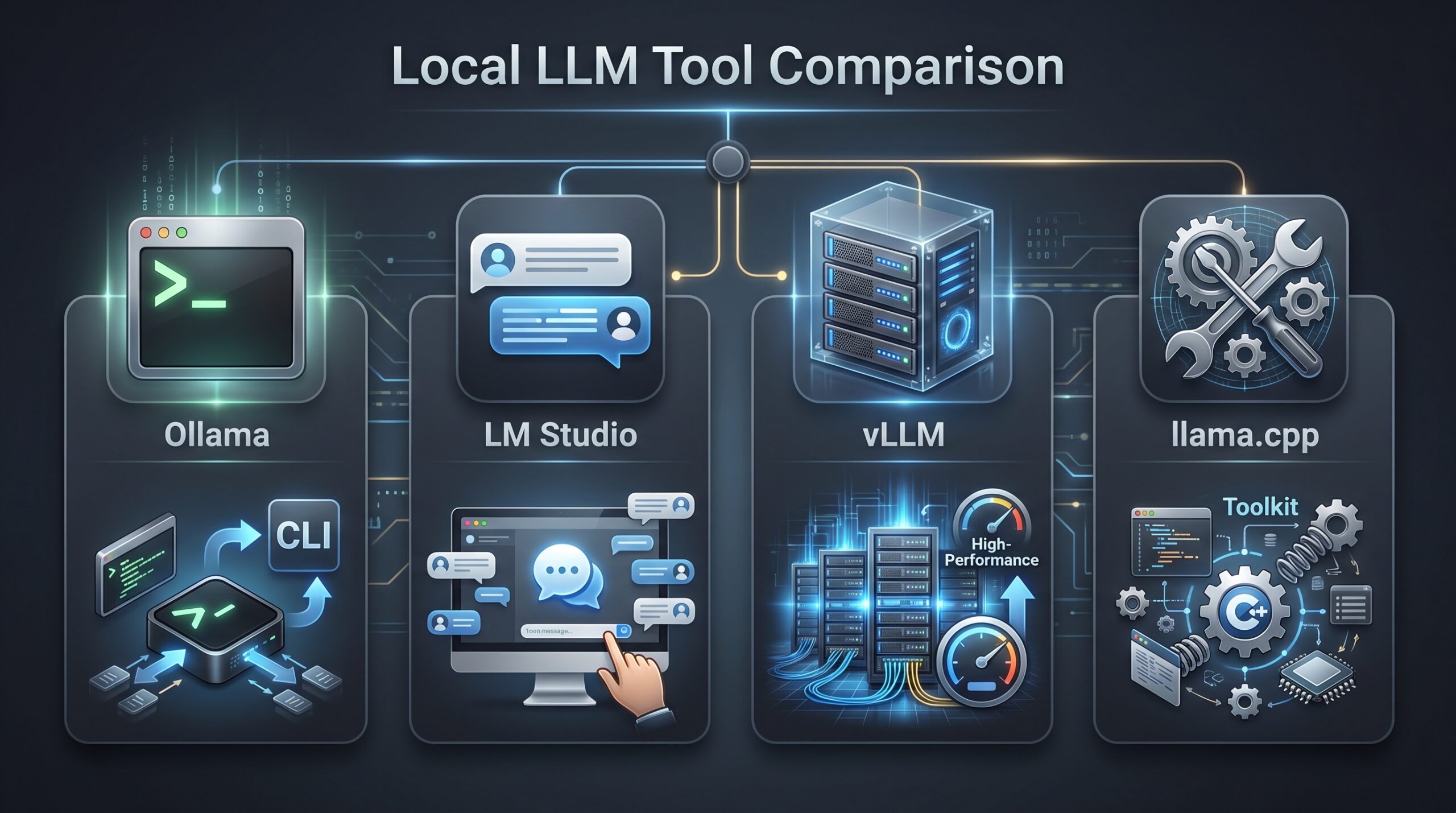
Comparison of Primary Local LLM Tools
| Tool | Primary Role & Key Feature | Best For | Interface | Ease of Use |
|---|---|---|---|---|
| Ollama | Default developer tool. One-command model pull/run. | Rapid prototyping, developer workstations, simple API server. | CLI-focused, integrates with Open WebUI. | High for developers. |
| LM Studio | GUI-driven local AI. Offline AI agents (via OpenClaw). | Non-technical users, GUI lovers, desktop experimentation. | Full graphical application. | High for all users. |
| vLLM | Production inference engine. High-throughput, optimized serving. | Dedicated API servers, high-concurrency production workloads. | API server (OpenAI-compatible). | Moderate (requires config). |
| llama.cpp | Efficient C++ foundation. CPU/GPU inference, wide hardware support. | Running models on hardware without powerful GPUs, embedded systems. | Command-line & library. | Moderate/Low (more technical). |
The Tool Ecosystem in Detail
1. Inference Engines & Platforms
- Ollama: Run
ollama run llama3.1:8band you have a running LLM. It manages model downloads, provides a local API, and has a vast library of open-weight models. It’s the fastest way to get started and is ideal for integrating into developer tools like VS Code. - LM Studio: Download the application, select a model from the in-app catalog, load it, and start chatting. It includes a local inference server and a chat interface. Its key 2026 advantage is integration with tools like OpenClaw for creating autonomous AI agents that work offline.
- vLLM: Built for performance. It uses techniques like PagedAttention to drastically improve throughput and reduce memory fragmentation. You deploy it as a service (e.g., using Docker) that provides an OpenAI-compatible API endpoint. This is what you use when you need to serve an LLM to a team of 50 developers or a customer-facing application.
- llama.cpp: The backbone. Written in efficient C/C++, it supports a wide range of quantization levels and can run models on CPUs, Apple Silicon, and CUDA GPUs. Many other tools, including Ollama’s early versions, use it under the hood. It’s your go-to for pushing the limits of hardware compatibility.
2. User Interfaces & Clients
- Open WebUI (formerly Ollama WebUI): A self-hostable, feature-rich web interface that connects to Ollama or OpenAI-compatible APIs (like vLLM). It supports multi-model conversations, RAG (Retrieval Augmented Generation) document uploads, and user management. This is how you give business teams a ChatGPT-like interface to your local models.
- Claude Code / VS Code Integrations: Clients like “Claude Code” that speak the Anthropic Messages API format can be pointed at a local vLLM server that mimics the same API. This demonstrates a critical insight: you can reuse sophisticated existing clients with your own models. Similarly, VS Code extensions can be configured to use a local Ollama instance for code completion and explanation.
3. Orchestration & Management (Advanced)
- Paperclip AI Orchestration Platform: An example of a self-hostable platform for managing AI agents. You can define a “company” with different agent roles (CEO, engineer) and connect them to different backends—your local Llama 3 for internal data, and cloud-based Claude for public web research. It runs on a VPS like Contabo.
- Cline: A coder-focused agent with a Plan/Act workflow, a Model Context Protocol (MCP) marketplace for tools, and a Rules system to guide outputs. It can be paired with automated Git deployments, showing how local LLMs integrate into CI/CD pipelines.
Step-by-Step Deployment Walkthroughs
Case Study 1: Deploying a Developer Prototyping Environment with Ollama
Goal: Provide a software engineering team with local LLMs for code assistance, documentation generation, and internal data Q&A, without sending code to the cloud.
Steps:
- Hardware Provisioning: Equip each developer with a machine meeting minimum specs: M3 MacBook Pro (16GB unified memory) or Windows/Linux PC with RTX 4070 (12GB VRAM) and 32GB RAM.
- Install Ollama: On macOS/Linux:
curl -fsSL https://ollama.com/install.sh | sh. On Windows, download the installer from ollama.com. - Pull Initial Models: From the terminal:
ollama pull llama3.2:1b # Ultra-fast, for simple tasks ollama pull codellama:7b # Specialized for code ollama pull llama3.1:8b # Good general-purpose balance - Integrate with Development Environment:
- VS Code: Install the “Continue” extension. In its config (
~/.continue/config.json), point it to the local Ollama server:{ "models": [ { "title": "Local Llama Code", "provider": "ollama", "model": "codellama:7b" } ] } - Open WebUI (Optional): For a chat interface, run
docker run -d -p 3000:8080 --name open-webui --volume open-webui:/app/backend/data -e OLLAMA_BASE_URL=http://host.docker.internal:11434 ghcr.io/open-webui/open-webui:main. Then accesshttp://localhost:3000.
- VS Code: Install the “Continue” extension. In its config (
- Test and Iterate: Have developers test code generation and explain tasks. Monitor RAM/VRAM usage. Upgrade models (e.g., to
llama3.1:70b) for developers with more powerful desktops.
Outcome: Developers have low-latency, private AI assistance. Token costs are zero, and proprietary code never leaves the machine.
Case Study 2: Deploying a Production vLLM Server for an Internal Chat Application
Goal: Deploy a stable, high-performance LLM API server on a dedicated on-premise server to power an internal corporate chat application for 100+ concurrent users.
Steps:
- Hardware Specification: Provision a server with: 2x NVIDIA B200 GPUs (or 4x H100 80GB), 512GB DDR5 ECC RAM, dual AMD EPYC CPUs, 2TB NVMe SSD storage.
- Base System Setup: Install Ubuntu 22.04 LTS or Rocky Linux 9. Install NVIDIA drivers, CUDA toolkit 12.x, and Docker.
- Deploy vLLM with Docker: Create a
docker-compose.yml:version: '3.8' services: vllm-server: image: vllm/vllm-openai:latest container_name: vllm-server runtime: nvidia deploy: resources: reservations: devices: - driver: nvidia count: all capabilities: [gpu] ports: - "8000:8000" volumes: - ./model_cache:/root/.cache/huggingface - ./model_data:/models environment: - HF_TOKEN=your_hf_token # If you need to access gated models command: [ "--model", "meta-llama/Llama-3.1-70B-Instruct", "--served-model-name", "llama-3-70b", "--tensor-parallel-size", "2", "--gpu-memory-utilization", "0.9", "--max-model-len", "8192", "--api-key", "your-secure-api-key-here", "--quantization", "awq" # If using an AWQ-quantized model ] - Download the Model: Pre-download the model weights to the
./model_datavolume to avoid delays on first start. Use huggingface-cli:huggingface-cli download meta-llama/Llama-3.1-70B-Instruct --local-dir ./model_data - Launch and Configure: Run
docker-compose up -d. The server will start and expose an OpenAI-compatible API athttp://your-server-ip:8000/v1. - Integrate the Chat App: Configure your internal application (e.g., a custom app using the ChatCompletion API, or Open WebUI) to use the endpoint
http://your-server-ip:8000/v1with the configured API key. - Load Testing and Tuning: Use tools like
wrkorlocustto simulate concurrent users. Adjust vLLM parameters like--max-num-seqs(concurrent requests) and--block-sizebased on results.
Outcome: A scalable, private API endpoint that handles corporate queries with high throughput, zero data egress, and predictable performance.
Strategic Model Selection for On-Premise Workloads
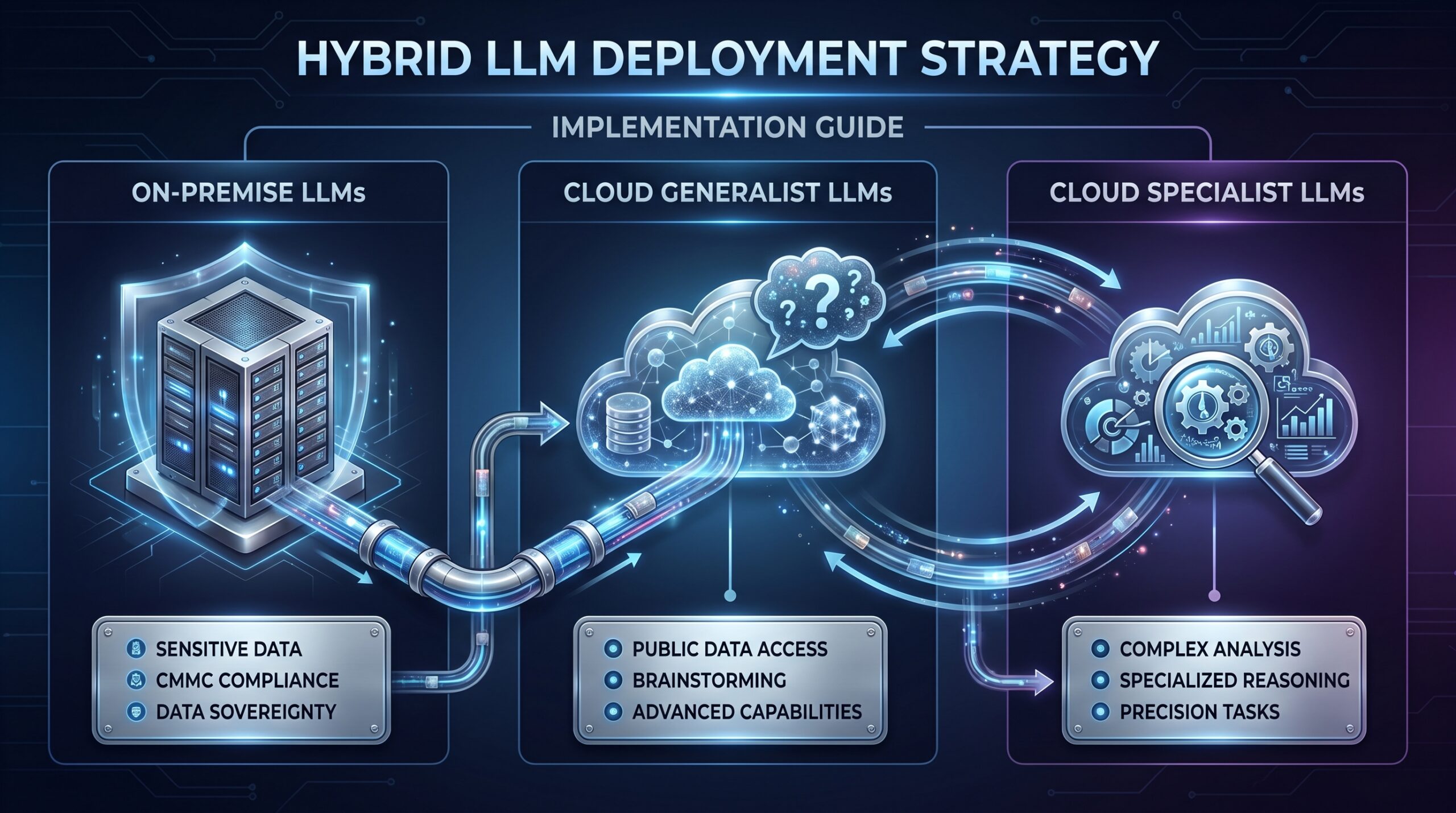
You don’t need one model to rule them all. Adopt a hybrid model strategy based on data sensitivity and task requirements.
Hybrid LLM Deployment Model for Enterprises (2026)
The most effective strategy is to segment workloads and use the right model for the job.
| Model Type | Example Models (2026) | Use Case | Rationale |
|---|---|---|---|
| Open-source Local (On-premise) | Llama 3.1 70B, Qwen2.5 72B, Mixtral 8x22B | Processing PII, CMMC-regulated data, proprietary code/designs, internal documents. | Data Sovereignty. Keeps sensitive data within audited infrastructure. No external API calls. |
| Cloud Generalist | GPT-4o, Gemini 2.0 Flash | General summarization, brainstorming on public data, first-draft content creation. | Advanced Capabilities. Access to frontier model reasoning, vision, and web search when data privacy is not a concern. |
| Cloud Specialist | Claude 3.5 Sonnet, DeepSeek Coder | Complex analysis, specific reasoning chains, advanced code generation (for non-proprietary code). | Specialized Superiority. Leverage best-in-class models for specific tasks where their performance justifies the cloud cost/risk. |
Guidelines for Choosing Local Models:
- Start with a Benchmark: For general chat/code, Llama 3.1 8B or 70B is the 2026 default. For coding, CodeLlama 7B/34B or DeepSeek-Coder-V2-Lite.
- Consider “Distilled” Variants: Look for smaller models distilled from larger ones. For example, a 3B parameter model fine-tuned on the outputs of a 70B model can retain surprising reasoning capability for tasks like theorem proving or complex debugging, making it runnable on budget hardware.
- Quantization is Essential: You will almost always run quantized models (reduced precision weights). Q4_K_M (4-bit, medium) in llama.cpp and 4-bit AWQ for vLLM offer excellent quality/size trade-offs. A 70B model goes from ~140GB (FP16) to ~40GB (Q4).
- Match Model to Hardware: Use the “1.5GB VRAM per 1B Q4 params” rule. A 24GB GPU can hold a 13B-16B model. A 70B model needs multiple high-VRAM GPUs or a system with 100GB+ of unified/CPU RAM.
The 2026 Total Cost of Ownership (TCO) Framework
Comparing on-premise to cloud AI requires looking beyond sticker price. Here is a practical TCO framework.
LLM Deployment TCO Framework
- Upfront CAPEX: High for On-Premise, Negligible for Cloud.
- Operational Cost: Moderate/Low for On-Premise (fixed), Variable for Cloud (usage-based).
- Marginal Inference Cost: ~$0 for On-Premise, $0.01-$0.50 per 1K tokens for Cloud.
- Fine-Tuning Cost: Hardware-dependent with $0 marginal for On-Premise, Pay-per-epoch for Cloud.
- Scalability Cost: Step function for On-Premise, Linear for Cloud.
- Data Privacy/Egress: $0 for On-Premise (intrinsic value), Potential risk/cost for Cloud.
| Cost Category | On-Premise LLM Deployment | Cloud AI API (e.g., GPT-4) | Notes & 2026 Considerations |
|---|---|---|---|
| Upfront Capital Expenditure | High. Server hardware ($20k-$200k+), networking, installation. | Negligible. No hardware purchase. | On-premise capex can be amortized over 3-5 years. Leasing options exist. |
| Ongoing Operational Cost | Moderate/Low. Electricity (1-3kW/server), cooling, IT labor, maintenance. | Variable, Usage-Based. Direct per-token cost (e.g., $10 per 1M input tokens). | Cloud costs scale linearly with usage. On-premise costs are largely fixed. |
| Inference Cost (Marginal) | ~$0. Once the model is loaded, generating more tokens consumes only electricity. | $0.01 – $0.50 per 1K tokens. Direct cost per query. | For high-volume inference (millions of tokens/day), cloud costs quickly surpass hardware investment. |
| Fine-Tuning Cost | Hardware-Dependent. Cost of GPU time during training. $0 thereafter. | Pay-per-epoch. E.g., $XXX per fine-tuning job + increased per-token cost. | On-premise enables frequent, inexpensive iteration. Techniques like QLoRA reduce hardware needs. |
| Scalability Cost | Step Function. To scale, you buy/lease another server node (another capex jump). | Linear. Scale API usage up/down instantly. Pay more as you use more. | Cloud offers elasticity. On-premise requires capacity planning but offers predictable long-term cost. |
| Data Egress / Privacy Premium | $0. Data never leaves. Intrinsic value for compliance (CMMC, HIPAA). | Potential Risk & Cost. Data residency fees, potential for unintended exposure. | The value of data privacy is often the primary TCO driver for on-premise, though hard to quantify. |
Break-Even Analysis: For a sustained workload of 10 million input tokens per day, cloud API costs could range from $100 to $500+ daily ($36k-$182k+ annually). A capable on-premise server ($50k) + annual ops ($5k) breaks even in under a year. The calculation becomes unequivocal for larger volumes or sensitive data where cloud is not an option. For a deeper look into the broader financial implications, see our guide on AI cost surge and Meta’s record investments.
Security, Compliance, and Data Governance
Deploying on-premise shifts the security responsibility to you. “Local” does not automatically mean “secure.” For a broader perspective on AI security, consider exploring our guide on AI security questions for tech giants.
1. Infrastructure Security:
- Network Segmentation: Place your LLM servers in a dedicated, isolated network segment (a VLAN). Only allow inbound connections on the API port (e.g., 8000 for vLLM) from specific application servers, not the entire corporate network.
- API Authentication: Never run vLLM or Ollama’s API without an API key (
--api-keyin vLLM). Use strong, rotated keys. Consider adding a reverse proxy (like Nginx) with additional HTTP Basic Auth or JWT validation. - System Hardening: Apply OS security baselines (CIS benchmarks), disable unused services, use a firewall, and ensure timely patching of the OS, drivers, and Docker images.
2. Data Governance for Compliance (CMMC Focus):
- Auditability: Implement comprehensive logging. Log all API requests to the LLM server (user ID, timestamp, prompt metadata—not necessarily the full prompt if it contains CUI) and model responses. Send logs to a centralized SIEM (Security Information and Event Management) system.
- Access Control: Integrate the LLM application with your corporate identity provider (e.g., via OpenID Connect in Open WebUI). Enforce role-based access controls (RBAC) defining who can use which models.
- Data Lifecycle: Define policies for any data stored by the LLM system (conversation history, uploaded documents in RAG). Ensure it is encrypted at rest and purged according to data retention policies.
- Consistent Controls: CMMC requires consistent security across your entire environment—software, firmware, and now AI. Your LLM server’s security posture (patch management, access logs, configuration management) must be documented and auditable as part of your overall system security plan. For more on AI’s impact on human roles in cybersecurity, read our guide on AI impact on cybersecurity humans.
Risk Mitigation and Troubleshooting
Common Pitfalls & How to Avoid Them
| Risk | Consequence | Mitigation Strategy |
|---|---|---|
| Underestimated Hardware | Model won’t load, inference is unusably slow (<1 token/sec). | Test with a small model first. Use the hardware checklist. For production, pilot on a rented cloud GPU instance (Oracle, Lambda Labs) to gauge requirements before buying. |
| Poor Performance Tuning | vLLM server underperforms, unable to handle target concurrency. | Profile and tune. Use vLLM’s metrics. Adjust --max-num-seqs, --block-size, and --gpu-memory-utilization. Use quantization (AWQ, GPTQ) for faster inference. |
| Security Misconfiguration | Data breach, unauthorized access to the LLM or host system. | Assume breach posture. Follow the security section. Conduct penetration testing on the deployed API endpoint. Use API gateways for additional security layers. |
| Vendor Lock-in via Tools | Difficult to migrate or switch models if a proprietary tool is discontinued. | Favor open-source, modular tools. Build your stack around standard APIs (OpenAI-compatible). Use vLLM/Ollama over closed-source alternatives. |
| Ignoring Fine-Tuning Hardware Needs | Unable to adapt models to your domain, limiting usefulness. | Plan for fine-tuning capacity. LoRA fine-tuning can often be done on a single A100 40GB. Full fine-tuning of a 70B model requires multiple H100/B200s. Factor this into your hardware roadmap. |
| Lack of Monitoring | Downtime or degradation goes unnoticed, user trust erodes. | Implement monitoring from day one. Monitor GPU utilization, memory, API latency, error rates, and token throughput. Use Prometheus/Grafana with exporters. |
Troubleshooting Checklist
- Model won’t download (Ollama/Hugging Face): Check network connectivity and firewall. For gated models, ensure
HF_TOKENis set correctly. Try using a VPN or mirror. - CUDA Out of Memory (OOM) Error: The model is too large for GPU VRAM. Use a smaller model, increase quantization (e.g., from Q8 to Q4), or use a CPU offloading engine like llama.cpp with
-ngl 0(no GPU layers). - vLLM server slow or high latency: Check
nvidia-smifor GPU utilization. Increase--max-num-seqs. Ensure you are using a quantized model (--quantization awq). Check for CPU bottlenecks on the host. - API requests from client failing: Verify the server is running (
curl http://localhost:8000/v1/models). Check API key headers match. Ensure CORS headers are set if calling from a web browser. - Poor output quality: You may be using an inappropriate or under-quantized model. Try a larger model or a different model family. Ensure the prompt template is correct for the model (e.g., Llama 3 uses
<|begin_of_text|><|start_header_id|>user<|end_header_id|>).
Advanced Topics: Fine-Tuning and Scaling
Fine-Tuning On-Premise: LoRA vs. QLoRA vs. Full
Fine-tuning adapts a base model to your specific domain (e.g., legal documents, internal support tickets).
| Technique | Hardware Demand (for 70B model) | Training Speed | Outcome Quality | Use Case |
|---|---|---|---|---|
| Full Fine-Tuning | Extreme. 4-8x H100/B200 with NVLink. Requires enough VRAM to hold the full model gradients. | Slow (days). | Highest potential fidelity. | When you have massive, unique datasets and need maximum model specialization. |
| LoRA (Low-Rank Adaptation) | High. 1-2x high-VRAM GPUs (A100/H100 80GB). Trains small “adapter” matrices. | Fast (hours). | Very good, slightly less than full. | The standard for most enterprise domain adaptation tasks. |
| QLoRA (Quantized LoRA) | Moderate. 1x consumer GPU (RTX 4090 24GB) or prosumer card. Uses 4-bit quantized base model. | Fast (hours). | Good, minor trade-off vs. LoRA. | Enables fine-tuning of large models on relatively affordable hardware. |
Recommendation: Start with QLoRA on your existing inference server if it has a 24GB+ GPU. Use libraries like Axolotl or Unsloth which are optimized for fast, memory-efficient fine-tuning.
Scaling Beyond a Single Server
When a single server hits its limit, you scale out.
- Model Parallelism (Tensor Parallelism): Splits a single model across multiple GPUs, often within one server. vLLM supports this with
--tensor-parallel-size. This is your first scaling step for large models. Learn more about performance enhancements like TensorRT-LLM for this. - Multi-Node Inference: For serving the same model to thousands of concurrent requests, you run multiple identical vLLM server instances behind a load balancer. This requires careful state management for features like streaming.
- Hybrid Cloud Bursting: For peak loads, you can design your system to spill over to cloud GPU instances (e.g., on AWS EC2) that run the same vLLM setup, temporarily expanding your capacity. This requires network and configuration automation.
The Future of On-Premise LLMs (2026 and Beyond)
The trend is toward greater specialization and integration.
- Hardware-software Co-design: Expect more tools like NVIDIA NIM, which are optimized containers that pair specific models with their ideal inference backends for maximum performance on NVIDIA hardware.
- Edge Deployment: Smaller, highly optimized models (1B-3B parameters) will deploy on edge devices—field laptops, specialized equipment—for real-time, fully offline intelligence.
- Enterprise Orchestration Platforms: Tools like Paperclip AI and Cline will evolve into full-fledged enterprise AI operating systems, managing fleets of local and cloud models, handling routing, cost tracking, and compliance logging. This development is crucial for integrating LLMs into robust AI agent payment automation systems.
- Standardized Evaluation: Benchmarks will move beyond general knowledge to measure specific enterprise metrics like “compliance adherence in output” or “proprietary data leakage risk.” Evaluating LLM behavior through methods like perturbation probing will become more critical.
Frequently Asked Questions (FAQ)
Is running a local LLM only for large enterprises with big budgets?
No. While large models require serious hardware, tools like Ollama and LM Studio enable individuals and small teams to run capable 7B-8B parameter models on consumer-grade PCs and MacBooks. The value of data privacy and zero incremental cost applies at any scale.
What are the main differences between Ollama, LM Studio, and vLLM?
Ollama is for easy, developer-focused local execution. LM Studio provides a graphical interface for non-coders. vLLM is a high-performance inference engine designed for serving models via an API in production. You might use Ollama for development, then deploy the same model with vLLM for production serving.
How do I ensure my on-premise LLM deployment is actually secure?
Implement network segmentation, mandatory API authentication, integration with corporate identity providers, comprehensive audit logging of all LLM interactions, and regular security patching of the underlying OS and containers. Conduct penetration tests specifically targeting the LLM API.
Can I mix local and cloud LLMs in the same application?
Yes, and this is a recommended hybrid strategy. Your application’s routing logic can send sensitive queries to your local on-premise model and non-sensitive, capability-intensive queries (e.g., complex reasoning on public data) to a cloud provider like Claude or GPT-4o. This balances cost, capability, and privacy.
What is the single biggest mistake people make when deploying locally?
Underestimating the hardware requirements and buying insufficient GPU memory (VRAM). This leads to inability to run the desired models or extremely slow performance. Always use the quantitative rule: for 4-bit models, ensure your GPU VRAM in GB is at least 1.5 times the model’s parameter count in billions.
Do I need an internet connection to run a local LLM?
Once the model files are downloaded and the software is installed, you can run completely offline. The initial setup requires internet to download models (which can be multi-gigabyte files), but inference itself requires no network connection, which is a key benefit for isolated or air-gapped environments.