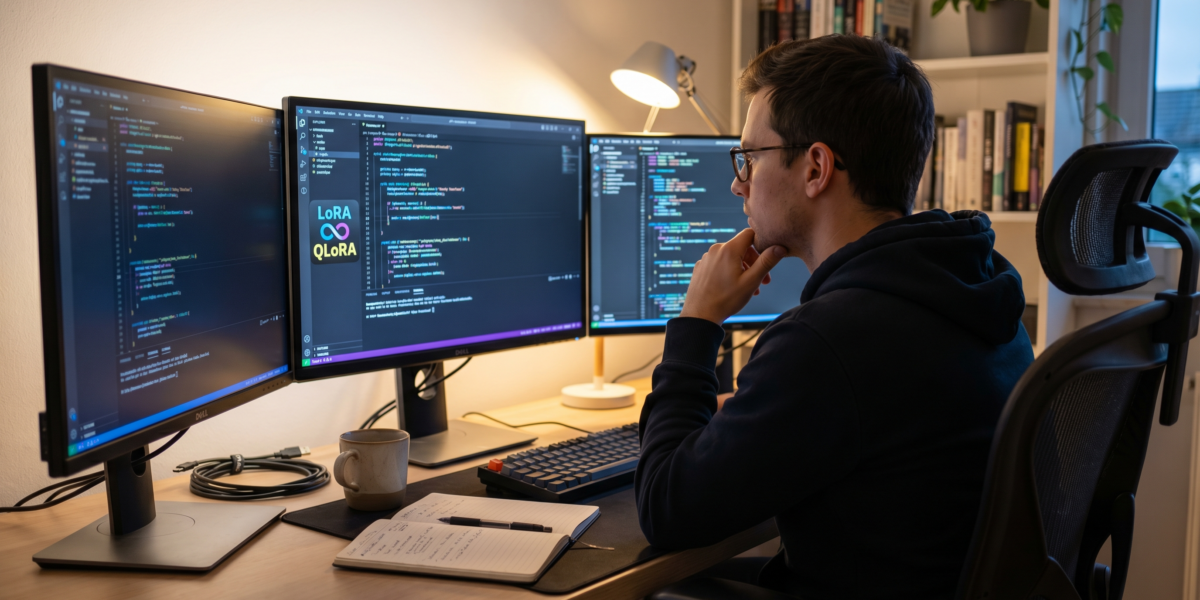
Fine-tuning LLMs with code involves adapting pre-trained models to specific tasks or proprietary data, significantly enhancing performance and domain relevance. Techniques like LoRA and QLoRA enable efficient fine-tuning on consumer hardware, making it accessible for specialized applications like code generation and customer support. The process includes environment setup, data preparation, configuration of parameter-efficient methods, and rigorous evaluation.
Fine-tuning Large Language Models (LLMs) with code involves adapting a pre-trained model to specific tasks or proprietary data, enhancing performance and domain relevance. This process typically uses techniques like LoRA or QLoRA on open-source models, enabling efficient deployment on consumer hardware (bentoml.com, 2026). As of 2026, real differentiation comes from fine-tuning smaller, open-source models tailored to your data, not just scaling model size.
Fine-tuning Large Language Models (LLMs) with code involves adapting a pre-trained model to specific tasks or proprietary data, typically using techniques like LoRA or QLoRA. This process enhances performance and domain relevance by training the model on a smaller, specialized dataset rather than building one from scratch. It is particularly valuable for achieving real differentiation in specialized applications such as code generation, legal document analysis, or custom chatbots, especially when leveraging smaller, open-source models.
What Is Fine-Tuning and Why It Matters
Fine-tuning is the process of taking a pre-trained LLM and further training it on a specific, smaller dataset to adapt its capabilities. This enhances relevance and performance for specialized use cases. Open-source models like those from Hugging Face are preferred for fine-tuning due to customizability and techniques like LoRA that reduce computational demands.
Fine-tuning matters because it allows organizations to leverage general AI capabilities while tailoring outputs to niche domains—code generation, legal documents, medical reports—without training models from scratch. According to bentoml.com (2026), fine-tuning smaller models on proprietary data is key to achieving real differentiation in 2026.
Common applications include code autocompletion, customer support chatbots, and content generation for specific industries. The shift is toward high capability-per-parameter models that perform well when fine-tuned, even on modest hardware. For broader insights, explore Best Generative AI Tools for Startups.
Key Concepts for Fine-Tuning LLMs
Understanding core concepts is essential before implementing fine-tuning. These include model architectures, efficiency techniques, and alignment methods.
Transformer Architecture
The Transformer architecture underpins most modern LLMs. It uses an attention mechanism to weigh input sequence importance, enabling parallel processing and handling long-range dependencies. This design allows models like GPT-4 and Gemma3 to be fine-tuned effectively for diverse tasks.
Transformers consist of encoder and decoder stacks, though some models (e.g., GPT) use decoder-only designs. Fine-tuning adjusts the weights in these layers based on new data, often freezing some parameters to save resources.
LoRA (Low-Rank Adaptation)
LoRA is a parameter-efficient fine-tuning technique. It reduces trainable parameters by injecting small rank decomposition matrices into the pre-trained model’s layers. Instead of updating all weights, LoRA trains these low-rank matrices, cutting memory use and speeding up training.
For example, fine-tuning a 7B parameter model with LoRA might only update 1% of parameters. This makes it feasible on GPUs like the NVIDIA GeForce RTX 3060 with 12GB VRAM. LoRA is supported in libraries like Hugging Face Transformers and Unsloth.
QLoRA (Quantized Low-Rank Adaptation)
QLoRA extends LoRA by quantizing the pre-trained model to lower bit precision (e.g., 4-bit) during fine-tuning. This further reduces memory footprint, allowing larger models to be fine-tuned on consumer hardware. A 70B model might be fine-tuned on a single GPU using QLoRA, whereas full fine-tuning would require multiple high-end cards.
Quantization introduces minimal accuracy loss when done correctly. Tools like bitsandbytes integrate with PyTorch to enable QLoRA in practice.
RLHF (Reinforcement Learning from Human Feedback)
RLHF aligns LLM outputs with human preferences for truthfulness, helpfulness, and harmlessness. Human evaluators rate model responses, training a reward model. The LLM is then fine-tuned using reinforcement learning to maximize rewards.
RLHF is complex but critical for production systems where safety and quality matter. It often follows initial supervised fine-tuning on task-specific data. This approach is also relevant for improving AI-powered coding assistants like Claude.
Tools and Libraries for Fine-Tuning
The right tools streamline fine-tuning. Key options in 2026 include Unsloth for speed, Hugging Face for model access, and PyTorch for flexibility.
Unsloth 2026.1.4
Unsloth provides software patches and tools (e.g., Unsloth Zoo 2026.1.4) to accelerate fine-tuning. It offers 2x faster fine-tuning for models like Gemma3, even on consumer GPUs (unsloth.ai, 2026). Unsloth integrates with Transformers 4.57.6 and supports LoRA/QLoRA out of the box.
pip install "unsloth[colab-new] @ git+https://github.com/unslothai/unsloth.git"
It optimizes kernel operations and memory management, reducing training time without sacrificing accuracy. This is ideal for developers with limited hardware, similar to considerations for deploying AI models to production efficiently.
Hugging Face Transformers
Hugging Face Transformers is a Python library with thousands of pre-trained models. It provides easy APIs for loading models, tokenizers, and training routines. Version 4.57.6 (as of 2026) includes support for latest models and techniques.
pip install transformers==4.57.6
The library supports fine-tuning via Trainer classes, with options for LoRA through plugins like peft. Hugging Face Hub hosts community fine-tuned models, useful for benchmarking.
PyTorch
PyTorch remains a dominant framework for LLM fine-tuning. Its dynamic computation graph and eager execution simplify debugging and experimentation. Use it for custom training loops when off-the-shelf tools aren’t sufficient.
pip install torch torchvision torchaudio --index-url https://download.pytorch.org/whl/cu121
PyTorch works seamlessly with libraries like bitsandbytes for quantization and accelerate for distributed training.
Weights & Biases (W&B)
W&B tracks experiments, logs metrics, and visualizes results. It helps compare different fine-tuning runs, hyperparameters, and model versions. Integrate it with PyTorch or Hugging Face Trainer with few lines of code.
pip install wandb
wandb login
Use W&B to monitor loss curves, GPU usage, and output samples during training.
Step-by-Step Fine-Tuning Process
Follow this practical guide to fine-tune an LLM on custom code data. We’ll use Gemma3-7B with Unsloth and QLoRA on an NVIDIA RTX 3060.
Step 1: Environment Setup
Install required packages in a Python 3.10+ environment. Use a virtual environment to avoid conflicts.
pip install "unsloth[colab-new] @ git+https://github.com/unslothai/unsloth.git"
pip install transformers==4.57.6
pip install datasets
pip install wandb
Check GPU availability with:
import torch
print(torch.cuda.is_available())
print(torch.cuda.get_device_name(0))
Expected output for RTX 3060: True and NVIDIA GeForce RTX 3060.
Step 2: Load Model and Tokenizer
Use Unsloth to load Gemma3-7B in 4-bit quantization for QLoRA.
from unsloth import FastLanguageModel
import torch

model, tokenizer = FastLanguageModel.from_pretrained(
    model_name = "unsloth/gemma3-7b",
    max_seq_length = 2048,
    dtype = torch.float16,
    load_in_4bit = True,
)
This reduces VRAM usage to ~10GB, feasible on 12GB cards. The max_seq_length should match your data context size.
Step 3: Prepare Dataset
Format your code dataset for instruction fine-tuning. Use Hugging Face datasets for efficiency.
Example dataset structure (JSONL):
{"instruction": "Write a Python function to reverse a string", "output": "def reverse_string(s): return s[::-1]"}
{"instruction": "Explain quantum computing in simple terms", "output": "Quantum computing uses qubits..."}
Load and tokenize the dataset:
from datasets import load_dataset

dataset = load_dataset("json", data_files={"train": "code_data.jsonl"}, split="train")

def format_instruction(sample):
    return {
        "text": f"### Instruction: {sample['instruction']}\n### Response: {sample['output']}"
    }

dataset = dataset.map(format_instruction)

tokenized_dataset = dataset.map(
    lambda x: tokenizer(x["text"], truncation=True, max_length=2048),
    batched=True
)
Ensure outputs are truncated to max_length to avoid VRAM overflows. This is crucial for handling large datasets effectively, similar to how data is managed in crypto trading bot VPS deployment.
Step 4: Configure LoRA Parameters
Set up LoRA for parameter-efficient training. Target attention layers for best results.
model = FastLanguageModel.get_peft_model(
    model,
    r = 16,  # LoRA rank
    lora_alpha = 32,  # LoRA alpha
    target_modules = ["q_proj", "k_proj", "v_proj", "o_proj"],
    lora_dropout = 0.05,
    bias = "none",
)
This config trains only ~1M parameters instead of all 7B. Adjust r and lora_alpha based on dataset size—higher for complex tasks.
Step 5: Training Setup
Define training arguments with Hugging Face Trainer. Use gradient checkpointing to save VRAM.
from transformers import TrainingArguments, Trainer

training_args = TrainingArguments(
    output_dir = "./gemma3-code-finetuned",
    per_device_train_batch_size = 2,
    gradient_accumulation_steps = 4,
    learning_rate = 2e-5,
    num_train_epochs = 3,
    logging_steps = 10,
    save_steps = 500,
    fp16 = not torch.cuda.is_bf16_supported(),
    bf16 = torch.cuda.is_bf16_supported(),
    optim = "adamw_8bit",
    weight_decay = 0.01,
    lr_scheduler_type = "cosine",
    report_to = "wandb",  # Integrate W&B
)

trainer = Trainer(
    model = model,
    args = training_args,
    train_dataset = tokenized_dataset,
    data_collator = transformers.DataCollatorForLanguageModeling(tokenizer, mlm=False),
)
Batch size and gradient accumulation steps balance VRAM usage and training stability. Use bf16 if supported for better precision.
Step 6: Run Training
Start training and monitor with W&B.
trainer.train()
Expect ~2 hours per epoch on RTX 3060 for a 10k sample dataset. Unsloth speeds this up by 2x compared to vanilla PyTorch.
Step 7: Save and Export
Save the fine-tuned model for inference.
model.save_pretrained("gemma3-code-finetuned")
tokenizer.save_pretrained("gemma3-code-finetuned")
For production, merge LoRA weights into base model for faster inference:
model.save_pretrained_merged("gemma3-code-finetuned-merged", tokenizer)
Comparison of Fine-Tuning Techniques
Different methods trade off efficiency, hardware needs, and ease of use.
| Technique | Key Features | Best For |
|---|---|---|
| LoRA | Parameter-efficient, reduces trainable parameters, suitable for large models | Fine-tuning on consumer GPUs with moderate VRAM (e.g., RTX 3060) |
| QLoRA | Further memory reduction through quantization (e.g., 4-bit), enables larger models | Fine-tuning 70B+ models on single GPUs, extreme memory constraints |
Hardware Requirements for Fine-Tuning
Hardware dictates which models and techniques you can use. VRAM is the primary constraint.
| Hardware Component | Recommendation for Fine-Tuning | Notes |
|---|---|---|
| GPU VRAM | >=12GB for 7B models with QLoRA | RTX 3060 (12GB) minimum; RTX 4090 (24GB) better |
| System RAM | >=32GB | For dataset handling and intermediate computations |
| Storage | >=100GB SSD | Store models, datasets, and checkpoints |
| Compute | Multi-core CPU | Preprocessing data and supporting GPU operations |
For larger models (e.g., 70B), use multi-GPU setups or cloud instances with A100s. Quantization and LoRA make consumer hardware viable for many cases, aligning with principles of efficient AI automation platforms.
Common Pitfalls and How to Avoid Them
Mistakes in fine-tuning lead to poor performance or wasted resources. Avoid these common errors.
Poor Data Quality/Quantity
Fine-tuning on insufficient or noisy data causes overfitting or weak generalization. Curate a dataset with 1k-10k high-quality examples for 7B models. Use data cleaning tools like datasets library filters.
Balance dataset topics if doing multi-task fine-tuning. For code generation, include diverse languages and paradigms.
Incorrect Hyperparameters
Wrong learning rates or batch sizes hinder convergence. Start with low LR (2e-5) and small batches (2-4). Use learning rate finders or W&B sweeps to optimize.
Too many epochs cause overfitting. Early stopping based on validation loss helps—split data 90/10 train/validation.
Underestimating Hardware Needs
VRAM exhaustion crashes training. Calculate memory requirements:
- Base model: 4-bit Gemma3-7B ~4.5GB
- LoRA parameters: ~0.1GB
- Gradients/optimizers: ~1GB
- Activations: ~2GB
Total ~7.6GB, leaving margin on 12GB card.
Use nvidia-smi to monitor usage. Reduce batch size or sequence length if needed. Understanding these practical limitations can also inform decisions when choosing between Cursor vs Copilot vs Claude Code.
Ignoring License Compatibility
“AI-aware” licenses (e.g., from memesita.com, 2026) may restrict using code for training. Check model and data licenses before fine-tuning for commercial use.
Stick to Apache 2.0 or MIT licensed models (e.g., Gemma3, Mistral) unless you have legal clearance.
Advanced Techniques: RLHF and Beyond
For high-stakes applications, RLHF aligns models with human values. It requires more data and computation but improves output quality.
Implementing RLHF
- Fine-tune base model on instruction data (SFT).
- Collect human comparisons on model outputs to train reward model.
- Use PPO reinforcement learning to fine-tune model against reward model.
Libraries like TRL simplify RLHF implementation. Expect 2-3x more compute than standard fine-tuning.
Multi-Task Fine-Tuning
Train on multiple related tasks (e.g., code generation, documentation, testing) to build versatile models. Use task prefixes in instructions:
Task: Code Generation
Instruction: Write a function to sort a list
Response: def sort_list(l): return sorted(l)
This improves generalization but requires larger datasets.
FAQ
What is the difference between fine-tuning and training from scratch?
Fine-tuning starts from pre-trained weights and adapts them to new tasks, requiring less data and compute. Training from scratch initializes random weights and needs massive datasets and resources. Fine-tuning is practical for most applications in 2026.
Can I fine-tune LLMs on a laptop?
Yes, with small models (e.g., Phi-3 mini) and QLoRA. You need a modern GPU with >=8GB VRAM and 16GB RAM. Use Unsloth for optimizations. Cloud options (Colab, RunPod) are cheaper for larger models.
How much data do I need for fine-tuning?
Start with 1000 high-quality examples per task. Code generation may need 5k-10k samples for good performance. Quality matters more than quantity—clean, representative data beats large noisy sets.
What are ‘AI-aware’ licenses?
Emerging licenses (e.g., from memesita.com, 2026) explicitly forbid using code to train LLM weights. They address concerns about AI reproducing proprietary code. Always check licenses before fine-tuning on code datasets.
How do I evaluate a fine-tuned model?
Use held-out test data for accuracy, BLEU scores for generation, and human evaluation for quality. Tools like Weights & Biases help track metrics across runs. A/B test against base model in production.