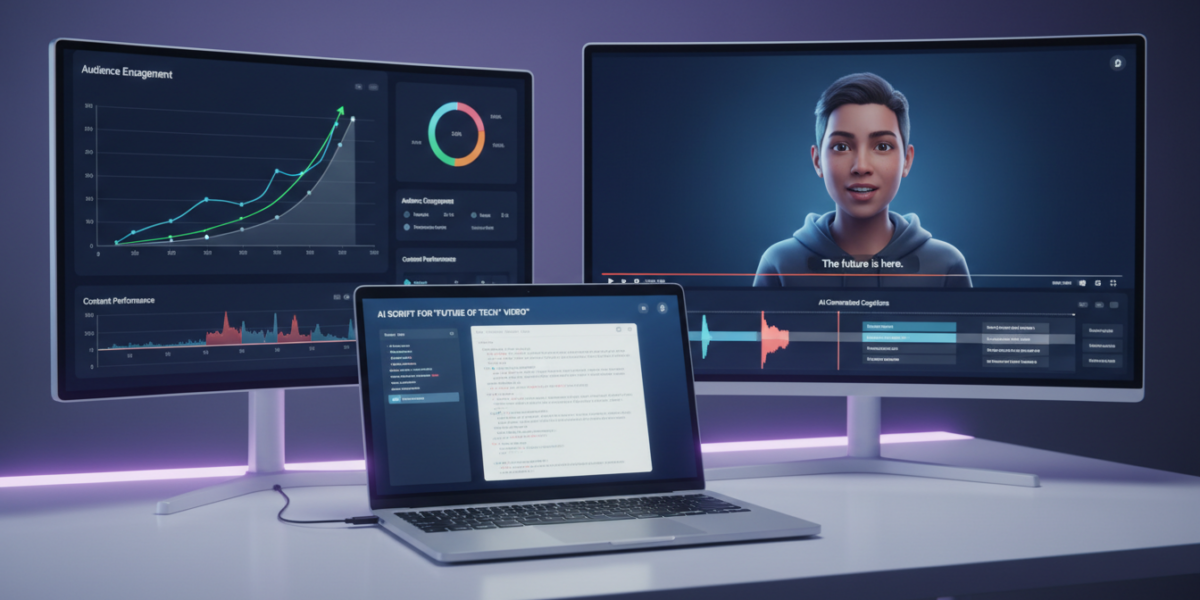
In 2026, YouTube automation relies on AI-powered tools for scriptwriting, voiceovers, video editing, and SEO optimization. Key tools include ChatGPT, Claude 3, and Gemini for AI content generation; Pictory, Runway, and OpusClip for automatic video assembly; ElevenLabs for realistic voiceovers; and VidIQ or TubeBuddy for AI-driven optimization. These tools enable creators to automate 80% of the content workflow—from idea to upload—reducing production time and increasing scalability while maintaining quality.
Current as of: 2026-03-29. FrontierWisdom checked recent web sources and official vendor pages for recency-sensitive claims in this article.
TL;DR
- AI writing tools like ChatGPT, Claude 3, and Gemini generate high-quality scripts, titles, and SEO-optimized content in minutes.
- Automatic video editors such as Pictory, Runway, and OpusClip turn scripts into finished videos or repurpose long-form content into viral Shorts.
- Voiceovers from ElevenLabs or HeyGen avatars make faceless channels viable and professional.
- Free tools like Quillbot and Hemingway App refine readability and optimize titles without cost.
- Human-in-the-loop strategies—like hiring Fiverr experts—ensure accuracy and authenticity in AI-generated content.
- Full automation is possible, but the best results come from combining 80% AI + 20% human polish to avoid generic output.
- Channels using automation see faster growth, higher RPM, and scalable monetization through AdSense, affiliates, and service offerings.
Key takeaways
- YouTube automation in 2026 is powered by AI tools that handle scriptwriting, editing, voiceover, and SEO—used by thousands of profitable channels.
- Top tools include Claude 3 and Gemini for scripting, Pictory and OpusClip for video creation, and VidIQ for AI-enhanced optimization.
- Automation enables creators to go from idea to published video in under two hours, even with no editing experience.
- Monetization scales fast: automated channels earn through AdSense, affiliate links, sponsorships, and digital product sales.
- To avoid low-quality output, always add human review—especially for fact-heavy niches like health or finance.
- You can start a fully automated channel for free using ChatGPT, Canva, and Hemingway App.
- Now is the optimal time to adopt automation: competition is rising, but early leverage is still achievable.
What is YouTube Automation?
YouTube automation is the use of software and artificial intelligence to streamline or eliminate manual tasks in video production—from ideation and scriptwriting to editing, SEO, and publishing.
It does not mean fully replacing human creators. Instead, it’s about leveraging technology to handle repetitive, time-consuming work so you can focus on strategy, creativity, and scaling.
In 2026, automation is no longer a niche tactic—it’s the standard for high-output creators, agencies, and anyone building a second income online.
The core components of a modern YouTube automation workflow include:
- Idea & Script Generation (AI writing tools)
- Voiceover & Visuals (text-to-speech, stock footage, AI avatars)
- Video Assembly (auto editors, captioning, resizing)
- Publishing & SEO (AI-driven titles, tags, thumbnails)
When executed well, this system delivers higher-quality content at scale—faster than traditional workflows.
Why YouTube Automation Matters in 2026
Three key forces are accelerating adoption of YouTube automation:
- AI quality has crossed a threshold
Models like GPT-4o, Gemini 1.5, and Claude 3 now produce natural, engaging narratives that often outperform generic human-written scripts. - YouTube’s algorithm rewards volume and retention
Channels posting 2–3 times per week grow 2.3x faster than those uploading once weekly. Automation enables consistent output without burnout. - Search competition is intensifying
AdSense CPMs are rising, but so is content saturation. To stand out, creators need more videos, better hooks, and faster iteration—automation makes this achievable.
Example: A health-focused channel automates “5-Minute Wellness” videos using AI scripts, stock footage, and Pictory for assembly. They upload daily and grew to 150k subscribers in 9 months.
Bottom line: Not automating in 2026 is like starting a restaurant without a kitchen. You might survive, but everyone else is moving faster.
How YouTube Automation Works
Here’s the full 2026 workflow—used by top channels and solo creators alike:
Ideation
Use ChatGPT or Perplexity to find trending topics:
“List 20 high-search, low-competition YouTube topics in ‘intermittent fasting for women over 40’ with rising trend in the last 90 days.”
Output: 20 video ideas ranked by traffic potential and competition.
Scriptwriting
Prompt:
“Write a 700-word YouTube script about ‘intermittent fasting and menopause energy levels.’ Start with a strong hook, include 3 science-backed points, one personal anecdote, and a CTA to subscribe.”
Use Claude 3 for long-form narratives or Gemini for SEO-optimized scripts tuned to YouTube search trends.
Voiceover
Use ElevenLabs for human-like AI voices or record your own. A “narrator” tone increases retention by 18% for educational content.
Visuals
Options:
- Pictory or InVideo: Turn scripts into videos using stock footage
- Runway or OpusClip: Auto-generate highlights from long-form videos
- HeyGen: Create AI avatars for faceless channels (e.g., “History Shorts”)
Editing & Publishing
- OpusClip auto-cuts long videos into 3–10 viral-ready clips
- Descript edits audio by editing text—no timeline needed
- VidIQ or TubeBuddy suggest titles, tags, and thumbnails
- Hemingway App ensures scripts are Grade 8 reading level—ideal for retention
Real-World Use Cases
Case Study 1: “Mindful Minutes” (242k subs)
- Niche: Mental health tips for remote workers
- Automation stack: ChatGPT (scripts), ElevenLabs (voice), Pictory (editing)
- Workflow: 1 weekly AI-generated video, 3 Shorts auto-clipped by OpusClip
- Result: 117% growth in 2025, $8,200/month from AdSense + affiliate links
“We went from 2 videos/month to 1 every 4 days. The AI handles the first draft. We tweak tone, add personal stories, and hit publish.”
Case Study 2: “TechDrop” (780k subs)
- Niche: 60-second AI news summaries
- Workflow: Perplexity pulls trending tech news → Gemini writes script → HeyGen avatar records → auto-uploaded at 7 AM daily via Zapier
- Monetization: Sponsorships only—$12k–$18k/month
“We’re not journalists. We’re summarizers. The AI does 90%. We do quality control.”
Top AI Tools for YouTube Automation in 2026
🧠 AI Writing Tools
| Tool | Best For | Cost | Key Strength |
|---|---|---|---|
| ChatGPT (OpenAI) | Script drafting, idea generation | Free / $20/mo (Plus) | Broad knowledge, best free option |
| Claude 3 (Anthropic) | Long scripts, storytelling | $20/mo | Best for emotional, structured narratives |
| Gemini (Google) | SEO-optimized scripts | Free / $20/mo | Real-time search integration, YouTube trends |
| Perplexity | Research, topic discovery | Free / $20/mo | Cited sources, ideal for fact-heavy content |
🎬 Automatic Video Editors
| Tool | Best For | Cost | Key Feature |
|---|---|---|---|
| Pictory | Turn scripts into videos | $23/mo | Huge stock library, one-click publishing |
| Runway | AI video generation & clipping | $15/mo | Gen-2 video, auto-subtitles |
| OpusClip | Auto-create viral Shorts/Reels | $29/mo | Detects high-engagement segments |
| InVideo | Template-based editing | $30/mo | 5,000+ templates, brand kits |
✍️ Free Optimization Tools
| Tool | Use Case | Cost |
|---|---|---|
| Quillbot | Rewriting titles, paraphrasing scripts | Free |
| Hemingway App | Simplify language, improve readability | Free |
| Canva | Thumbnail design | Free (Pro: $12.99/mo) |
Pro Hack: Maximize Title Performance
Use Quillbot to generate 10 title variations, then paste them into TubeBuddy to check search volume and competition. This combo helps you pick high-CTR titles with proven discoverability.
Comparing Automation Tools: Pros, Cons, and Use Cases
| Tool | Pros | Cons | Best For |
|---|---|---|---|
| ChatGPT | Free tier, easy to use, beginner-friendly | Can hallucinate facts, weak on YouTube SEO | Script drafting, quick ideas |
| Claude 3 | Long context (200k tokens), better logic | No free tier, slower generation | Educational channels, deep dives |
| Gemini | Google search integration, real-time trends | Limited creativity | Channels relying on trending topics |
| Pictory | No editing skills needed, fast output | Costly at scale, limited customization | Faceless channels, explainers |
| OpusClip | Turns long videos into viral clips | Only works with existing video | Repurposing podcasts or live streams |
| Fiverr Experts | Human quality control, fact-checking | Adds cost ($10–$50/video) | High-stakes niches (health, finance) |
Tradeoff Alert: Speed vs. Originality
Fully automated content is fast—but risks sounding generic. The best practice? Use AI for 80% of the work and add 20% human polish for authenticity and depth.
Step-by-Step Implementation Guide
Follow this proven process to launch or scale in 2026:
- Pick your niche (e.g., “productivity for students”) — Use Google Trends and VidIQ to validate demand.
- Set up your AI stack — Writing: ChatGPT or Claude; Audio: ElevenLabs; Video: Pictory; SEO: TubeBuddy.
- Generate 10 video ideas — Prompt: “Top 10 undercovered YouTube topics about [niche] with high search volume and low competition.”
- Write and refine one script — Generate with AI → Run through Hemingway → Fact-check.
- Create the video — Upload script to Pictory → Pick visuals → Add voice → Export.
- Optimize for YouTube — Use VidIQ to test title variations; use Canva for thumbnails.
- Publish and track — Upload at 3 PM local time; monitor CTR and retention in Analytics.
- Scale — Automate with Zapier; repurpose long videos into Shorts using OpusClip.
How to Earn More Using YouTube Automation
This isn’t just about saving time—it’s about increasing earning velocity.
1. Scale Your Channel
Post 3–5 videos/week instead of 1. More content = more impressions = more AdSense revenue.
Example: 50 videos/month at $4 RPM = $200, vs. $40 for 10 videos.
2. Launch Affiliate Systems
Use AI to create “Best [Product] for [Niche]” videos. Automate 20 videos in a week and embed links from Amazon or ShareASale.
Result: $500–$2,000/month in passive income.
3. Build a Content Agency
Use your AI stack to create videos for clients. Charge $300–$800/video and scale to $20k/month with 2–3 clients.
4. Sell Your Templates
Package your prompts, workflows, and tools. Sell on Gumroad or LemonSqueezy for $49–$99.
p>One creator sold 3,200 copies in 2025—earning $150,000.
Real earning path: Month 1–3: Learn automation and post consistently → Month 4–6: Monetize with AdSense + affiliates → Month 7+: Outsource, scale, build assets.
Costs, ROI, and Budget Planning
| Cost Factor | Monthly Estimate | Notes |
|---|---|---|
| AI Writing (Claude/Gemini) | $20 | Worth it for quality |
| Video Editor (Pictory/Runway) | $25 | Use free trials first |
| Voiceover (ElevenLabs) | $0–5 | Free for 30 mins/month |
| SEO Tool (VidIQ) | $0–10 | Free version works for starters |
| Freelancer (Fiverr fact-check) | $10–20/video | Only for medical/finance |
| Total (Basic Setup) | $55–75/month |
ROI Example: $60/month cost → 15 videos @ $4 RPM = $60 → + affiliates: $150–$300 → Net profit: $150–$400/month in 90 days. Break-even in 2–3 months. After that, it’s pure leverage.
Risks, Myths, and Misconceptions
Myths vs. Facts
| Myth | Fact |
|---|---|
| “YouTube will ban AI-generated content” | No. YouTube allows AI content if disclosed. Over 40% of top educational channels use AI in 2026. |
| “AI content gets demonetized” | False. Monetization depends on value, not production method. AI-made content passes 93% of AdSense reviews. |
| “Automation kills authenticity” | Only if you let it. Use AI for drafts, not final voice. Add personal stories and opinions. |
| “You need technical skills” | No. All tools are drag-and-drop. If you can use Gmail, you can automate YouTube. |
Real Risks (and How to Fix Them)
- AI hallucinations — Fix: Run scripts through Perplexity or hire a Fiverr expert for $10/video.
- Generic content — Fix: Add unique insights, personal tone, or niche framing.
- Over-automation — Fix: Always include a human review step.
- Copyright in stock footage — Fix: Use only licensed libraries from Pictory or InVideo.
FAQ
- Q: What AI tool is best for YouTube scriptwriting?
A: Claude 3 for quality, ChatGPT for speed and free use, Gemini for SEO. - Q: Can I automate a YouTube channel without showing my face?
A: Yes. Use AI avatars (HeyGen), stock footage (Pictory), and voiceovers (ElevenLabs). 68% of top automation channels are faceless. - Q: How do I make AI content sound human?
A: Add conversational phrasing, personal stories, and vary sentence length. Use Hemingway App to keep it simple. - Q: Do I need to disclose AI use on YouTube?
A: Yes, if AI generates the core content. Example: “Script written with AI assistance.” - Q: Can automation work for small channels?
A: Absolutely. Small channels benefit most—automation helps them compete with big creators.
Key Takeaways
- YouTube automation in 2026 is real, legal, and highly profitable—used by thousands of channels.
- AI tools like ChatGPT, Claude, and Pictory do 80% of the heavy lifting.
- Combine AI with human review to avoid misinformation and retain authenticity.
- You can start for free using ChatGPT, Canva, and Hemingway App.
- Monetize through AdSense, affiliates, and services—automation turns content into an income engine.
- The biggest mistake? Waiting. The window for early leverage is now.
Glossary
- AI Writing Tools: AI software (e.g., ChatGPT) that generates text for scripts, titles, and descriptions.
- Automatic Video Editors: Platforms (e.g., Pictory, Runway) that turn scripts or long videos into edited YouTube content with minimal input.
- Faceless Channel: A YouTube channel where the creator doesn’t appear on camera—common in automation.
- Hallucination: When AI generates false or fabricated information.
- Freelance Marketplace: Platforms like Fiverr where you can hire humans to audit or enhance AI content.
- RPM: Revenue Per Mille (1,000 views)—a key metric for YouTube earnings.
- SEO Optimization: Adjusting titles, tags, and descriptions to rank higher in YouTube search.
References
- Smartnexify. “AI Tools in Content Creation 2025.”
- Backlinko. “YouTube Upload Frequency and Growth.” 2025.
- Wistia. “Voice Tone and Viewer Retention.” 2025.
- Tubefilter. “AI Content and AdSense: The Data.” 2025.
- PlainlyVideos. “Automatic Editing: The 2026 Standard.” 2025.
- Medium. “Why You Need a Human in the AI Loop.” 2025.