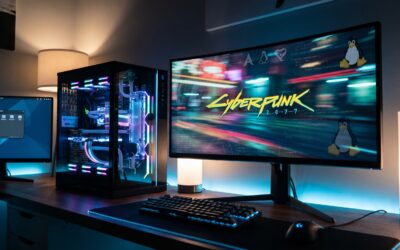
The top local LLM tools in 2026 are Ollama, LM Studio, llama.cpp, and vLLM, offering a range from easy start-up to production deployment. The leading models to run on them include Qwen 3.5, Llama 4, Gemma 4, Mistral, and MiMo-V2-Flash, selected for their versatility, efficiency, and task-specific performance on consumer hardware.
Current as of: 2026-04-23. FrontierWisdom checked recent web sources and official vendor pages for recency-sensitive claims in this article.
TL;DR
- Top Tools: Ollama (easiest start), LM Studio (best UI), llama.cpp (CPU efficiency), vLLM (production serving).
- Top Models: Qwen 3.5 (versatile), Llama 4 (all-rounder), Gemma 4 (lightweight), MiMo-V2-Flash (code specialist).
- Core Driver: Complete data privacy, cost control, and reliable offline operation are primary advantages.
- Hardware Reality: Good performance requires a dedicated GPU (e.g., 12GB+ VRAM) or ample system RAM.
- Immediate Action: Install Ollama and run a 7B-parameter model in minutes to test the local workflow.
Key takeaways
- Local LLMs are a mature, production-ready option in 2026, driven by privacy demands and improved model efficiency.
- The combination of Ollama and Qwen 3.5 offers the fastest, most frictionless path to experimenting with local AI.
- Use cases are strongest for processing confidential data, working offline, and building cost-sensitive applications.
- Familiarity with deploying and fine-tuning local models is a high-value, career-advancing skill.
What are local LLMs?
Local Large Language Models (LLMs) are AI models, and the software frameworks needed to run them, that operate entirely on your own hardware—be it a laptop, workstation, or private server—without connecting to external cloud APIs like OpenAI or Anthropic.
The primary benefits are control and privacy. Your data, whether confidential documents, proprietary code, or sensitive conversations, never leaves your machine. This eliminates the risks associated with third-party data handling and API dependencies. You also gain predictable costs (no per-call fees) and the ability to work completely offline.
Why local in 2026 is becoming essential
The landscape has shifted decisively. Tighter global data regulations and heightened corporate caution make sending information to external AI services a significant compliance headache.
Simultaneously, advancements in model optimization, particularly quantization and efficient inference engines, mean powerful models that once required server racks now run performantly on high-end consumer hardware. The trade-off between privacy and capability has narrowed dramatically.
Who should prioritize local LLMs now? Developers integrating AI into products, freelancers handling client data, compliance officers in regulated industries, academic researchers, and any professional working with sensitive or proprietary information.
The top 5 local LLM tools right now
The tool you choose depends on your primary goal: ease of use, a graphical interface, maximum hardware efficiency, or production-scale serving.
| Tool | Best For | Key Strength |
|---|---|---|
| Ollama | Getting started fast & experimenting | One-line install, massive model library, extremely simple CLI. |
| LM Studio | UI lovers & visual researchers | Full-featured desktop GUI for model management, chatting, and comparing. |
| llama.cpp | Max performance on CPU or old hardware | C++ efficiency; runs large models on CPUs where others fail. |
| vLLM | High-throughput production serving | Engineered for speed, concurrency, and scaling across multiple GPUs. |
For most newcomers, Ollama is the default recommendation. Its simplicity removes all friction: install it, pull a model with a single command, and start interacting. It’s the quickest way to validate if local LLMs fit your use case. For a deeper look at how structured knowledge can be built locally, see our article on the LLHKG Framework which uses lightweight LLMs.
The top 5 local LLM models for 2026
With the toolchain in place, model selection is critical. The best models balance capability, size, and speed for local deployment.
- Qwen 3.5 – The most versatile all-rounder. Excels in coding, writing, and general reasoning tasks, making it an excellent first choice for most professionals. For its latest multimodal capabilities, explore Qwen3.5-Omni.
- Llama 4 – A strong general-purpose model with reliable instruction-following, backed by a large ecosystem of fine-tuned variants.
- Gemma 4 – Lightweight yet powerful, designed for fast iteration and lower resource consumption without a major sacrifice in quality.
- Mistral – Continues to be a top performer, particularly for non-English languages and robust code generation.
- MiMo-V2-Flash – The specialist for developers. Consistently outperforms other open-source models on software engineering benchmarks, capable of code review, test writing, and debugging offline.
It’s important to benchmark models for your specific domain, as performance can vary. For instance, evaluating models on domain-specific tasks like financial regulation with IndiaFinBench or legal analysis with LegalBench-BR reveals their specialized capabilities.
What this means for your work
Adopting local LLMs translates into tangible professional advantages:
- 🧠 Own Your Workflow: Eliminate dependency on external API availability, rate limits, and policy changes.
- 🔒 Mitigate Risk: Process internal data, from strategy documents to customer communications, with zero exposure risk.
- 💼 Build Career Leverage: Hands-on experience with local model deployment and fine-tuning is a distinctly valuable skill in the 2026 job market, setting you apart from those reliant solely on cloud APIs.
How to get started this week
You can have a local model running in under ten minutes. Follow this three-step process:
- Install Ollama using the terminal command for your operating system.
curl -fsSL https://ollama.com/install.sh | sh - Pull a starter model. The 7B-parameter versions offer a great speed-quality balance.
ollama pull qwen2.5:7b - Run and test. Interact directly via the command line.
ollama run qwen2.5:7b
For more complex automation workflows, principles from tools like Microsoft’s StepFly agent can inspire local, autonomous AI applications.
Pitfalls and what to watch for
While powerful, local LLMs come with inherent constraints and common misconceptions.
| Myth | Fact |
|---|---|
| Local models are just as good as the latest cloud models. | They are catching up fast but often represent a trade-off between size/speed and the cutting-edge reasoning of frontier models like GPT-5. |
| You can run any model on any laptop. | Performance is strictly hardware-bound. A 70B-parameter model needs significant resources, while a 7B model is far more accessible. |
| Local operation is always cheaper. | While API fees are avoided, there are capital costs (GPU, RAM) and ongoing energy consumption to consider. |
Key Limitations: You are responsible for your own compute power, model updates, and troubleshooting. Inference speed and context window size are limited by your hardware’s VRAM and memory bandwidth.
FAQ
Can I run these on a Mac with Apple Silicon?
Yes. Ollama and LM Studio have excellent native support for Apple Silicon (M-series) Macs, often leveraging the GPU cores for efficient performance.
How much does it actually cost?
The software is free and open-source. The cost is in the hardware (your computer or a dedicated server) and the electricity to run it. There are no per-query fees.
Is my data 100% private?
Yes, provided you correctly configure the tool to run entirely locally and do not enable any optional cloud syncing features. If the data never leaves your machine, it remains private.
What are the minimum hardware specs?
For a usable experience with 7B-parameter models: 16GB of RAM is the absolute minimum, but 32GB is recommended. For smooth performance with larger models or faster inference, a dedicated NVIDIA GPU with 12GB+ of VRAM (like an RTX 4070 or higher) is ideal.
Glossary
LLM (Large Language Model): A type of AI model trained on vast amounts of text data to understand, generate, and manipulate human language.
Quantization: A technique to reduce the numerical precision of a model’s weights (e.g., from 16-bit to 4-bit), dramatically decreasing its size and memory requirements while aiming to preserve most of its capabilities.
RAG (Retrieval-Augmented Generation): A framework that enhances an LLM’s responses by first retrieving relevant information from an external knowledge base (like your documents) and then generating an answer based on that context.
Inference: The process of running a trained AI model to generate predictions or output, such as creating text in response to a prompt.
References
- DEV Community analysis on Ollama as the default local LLM tool.
- Latent.Space overview of Qwen 3.5 model versatility.
- Overchat insights on Llama 4 and Gemma 4 performance.
- BentoML benchmark highlighting MiMo-V2-Flash for coding tasks.
- AI Tool Discovery guide to local LLM hardware considerations.
- FrontierWisdom: LLM benchmark study for social media analytics.