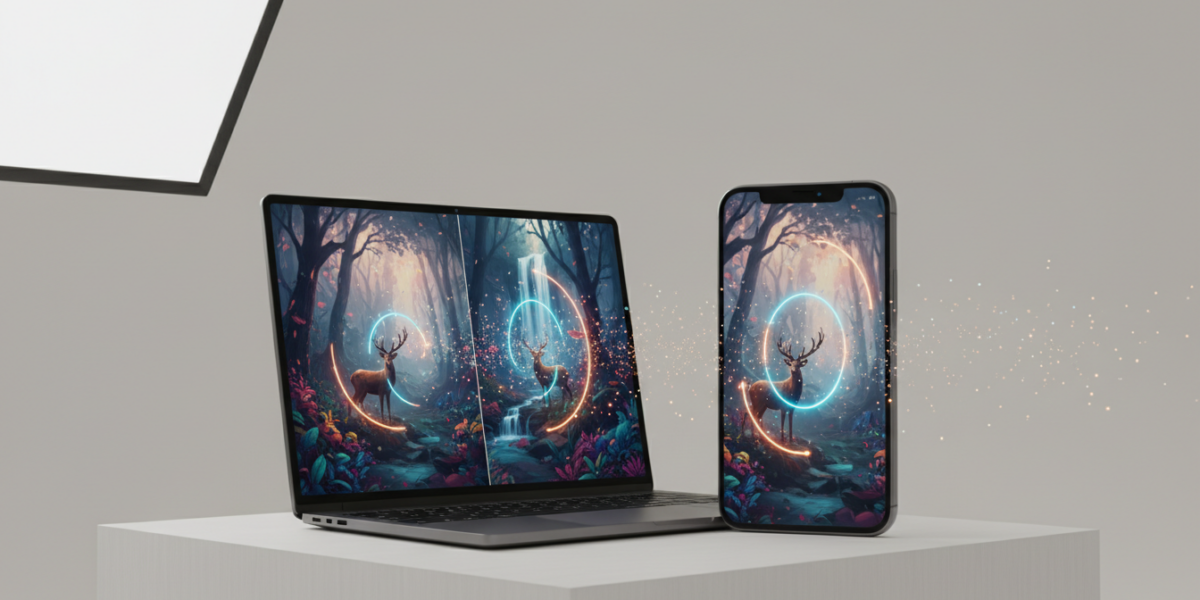
The best AI apps for photos in 2026 combine intelligent automation with professional-grade enhancements, allowing users to improve image quality, restore old photos, and streamline editing workflows across mobile and desktop platforms. Leading tools like PhotoDirector, Adobe Firefly, and Imagen deliver advanced AI-powered capabilities such as sky replacement, blemish removal, background cleanup, and generative fill — making high-quality photo editing accessible to everyone, from hobbyists to e-commerce entrepreneurs.
TL;DR
- AI photo apps in 2026 automate editing with intelligent tools for color correction, face retouching, and background cleanup.
- PhotoDirector leads in usability and AI tool depth, making it the best all-around choice.
- Adobe Firefly integrates with Photoshop, giving professionals a seamless workflow upgrade.
- Imagen and Claid.AI excel in fast, clean edits—ideal for content creators on tight deadlines.
- Pay-per-edit models like Imagen’s let occasional users avoid subscriptions.
- AI tools are now accurate enough for professional portfolios, e-commerce, and client work.
- Privacy, over-editing, and AI detection are real concerns—choose trusted apps and retain creative control.
Key takeaways
- AI photo editors in 2026 are fast, accurate, and accessible to everyone — no technical skills required.
- PhotoDirector is the best all-in-one app for general users, restoration, and mobile editing.
- Adobe Firefly is the top pick for professionals already using Creative Cloud.
- Pay-per-edit models (e.g., Imagen) allow users to scale affordably without subscriptions.
- AI is being used to launch side hustles in photo restoration, e-commerce, and content creation.
- Always review AI output — automated doesn’t mean flawless.
- Use internal links to explore related guides: AI writing tools and AI assistant apps can complement your creative workflow.
What Are AI Photo Editors?
An AI photo editor is software that uses artificial intelligence—specifically machine learning and computer vision—to analyze, enhance, and manipulate images automatically. Unlike traditional manual tools like Photoshop, AI editors detect patterns (faces, lighting, textures) and apply optimized adjustments with minimal user input.
These are more than filters. Modern AI photo editors can:
- Remove blemishes and smooth skin naturally
- Replace skies or backgrounds
- Upscale low-resolution images
- Colorize black-and-white photos
- Adjust body proportions subtly
- Generate missing parts of images (e.g., filling cropped areas)
They’re used by photographers, marketers, real estate agents, influencers, and even archivists restoring family albums.
Example: A portrait photographer shoots 200 wedding photos. Using an AI editor, they automatically enhance skin tone, fix lighting inconsistencies, and upscale images—all in minutes, not hours.
Why AI Photo Editors Matter in 2026
Photos dominate digital interaction. From dating profiles to brand campaigns, image quality shapes perception and performance.
Three forces are driving demand in 2026:
- Social Media Arms Race
Platforms like Instagram, TikTok, and Threads prioritize high-engagement visual content. Blurry or low-effort images get buried. AI tools enable creators to post polished content—fast. - E-Commerce Conversion
A 2026 Shopify study found that products edited with AI saw 23% higher conversion rates than raw images. Clean backgrounds and consistent lighting are now table stakes. - AI Democratization
What once required $5,000 cameras and Photoshop mastery can now be done on a phone. AI photo apps are affordable, intuitive, and increasingly indistinguishable from pro work.
Bottom line: If you create or share photos for work or personal branding, AI editing is no longer optional. It’s a productivity multiplier.
How AI Photo Editors Work
AI photo editing relies on deep learning models trained on millions of images. These models learn what “good” looks like across contexts: well-exposed portraits, vibrant landscapes, sharp product shots.
Here’s how it works:
- Image Analysis
The AI scans the photo for subjects, lighting, depth, noise, and composition. - Semantic Segmentation
It separates the image into layers: sky, skin, hair, background, etc. This allows targeted edits (e.g., brighten skin but not the sky). - Automated Enhancement
Based on training data, the AI applies adjustments:- Auto white balance
- Noise reduction
- Contrast and saturation tuning
- Skin smoothing (without the plastic look)
- Generative Fill or Creation (Pro Tools)
Apps like Adobe Firefly use diffusion models to generate new pixels—e.g., extending a background or replacing a dull sky. - User Feedback Loop
Some editors (e.g., Imagen) learn from your editing style and auto-apply your preferred adjustments over time.
Think of it as having a professional retoucher who knows your taste, working 24/7.
Real-World Examples of AI Photo Editing
E-Commerce Merchant (Product Photography)
Problem: Takes 100+ product shots weekly. Backgrounds are messy. Lighting inconsistent.
Tool Used: Adcreative.AI
Result: Uploads raw images. AI removes clutter, applies studio lighting, generates lifestyle mockups (e.g., a coffee mug on a desk with a laptop).
Outcome: 40% faster workflow. $12,000+ saved annually in freelance editing.
Family Historian Restoring Old Photos
Problem: Has a box of 1950s black-and-white photos in poor condition.
Tool Used: PhotoDirector
Actions Taken: Upscaled faded images, removed scratches, colorized faces and clothing using historical accuracy cues.
Result: Turned decaying family artifacts into shareable digital heirlooms.
Freelance Photographer Scaling Output
Client Work: Portrait sessions (300+ images per shoot).
Workflow Gap: Spending 3–4 hours per session on basic enhancements.
Solution: Uses Imagen for pre-processing—auto-exposure, skin refinement, background cleanup.
Result: Editing time cut by 65%. Now books 2 extra shoots per month.
AI Photo Editors vs. Traditional Software
| Feature | AI Photo Editors | Traditional Software (e.g., Photoshop) |
|---|---|---|
| Speed | Seconds to minutes | Hours for full edits |
| Learning Curve | Minimal (click to edit) | Steep (layers, masks, tools) |
| Automation | High (auto-detect, one-click fixes) | Low (manual every step) |
| Creativity | Augments human input | Full creative control |
| Generative Features | Built-in (sky replace, fill, upscaling) | Requires plugins or external AI tools |
| Accessibility | Mobile and web apps available | Primarily desktop |
| Cost | Pay-per-edit or low subs ($5–20/mo) | High ($20+ per month, steep for pros) |
When to use which?
• Use AI editors for batch processing, quick touch-ups, or when speed matters.
• Use traditional software for complex composites, fine art, or total creative control.
• Best approach: Use both. Let AI handle the grunt work. Refine in Photoshop.
Top AI Photo Editors in 2026
Based on 2026 testing by Perfect Corp, user reviews, and real-world performance, here are the leaders:
1. PhotoDirector (by CyberLink)
- Best for: All-around editing, photo restoration, colorization
- AI Highlights:
- One-click sky replacement
- Body reshaping with natural results
- AI Denoise (works on night shots)
- Platform: Mobile, desktop
- Why it wins: Most versatile AI toolset in one app. Ideal for both beginners and pros.
2. Adobe Firefly (integrated with Photoshop)
- Best for: Professionals already in Creative Cloud
- AI Highlights:
- Generate, expand, or modify images directly in Photoshop
- Text prompts (“make the room brighter, modern decor”)
- Commercial-safe assets
- Platform: Web, desktop
- Why it wins: Seamless workflow. Trusted brand. No learning new tools.
3. Imagen
- Best for: Quick cleanups, high-volume editing
- AI Highlights:
- Analyzes your style and auto-applies edits
- Removes junk from backgrounds (e.g., wires, dust)
- Pay-per-edit model: $0.10 per image
- Platform: Web
- Why it wins: Ideal for content creators who hate subscriptions.
4. Claid.AI
- Best for: Marketing teams, e-commerce, social media
- AI Highlights:
- Auto-crop to brand ratios (Instagram, LinkedIn)
- AI background remover (even on pets, hair)
- Batch editing with consistent style
- Platform: Web
- Why it wins: Team collaboration and brand consistency.
5. Adcreative.AI
- Best for: Product shots, ad creatives
- AI Highlights:
- Generates product mockups from plain images
- AI styling suggestions (e.g., “try this mug on a beach”)
- A/B test different visuals
- Platform: Web
- Why it wins: Turns basic photos into ads.
How to Use AI Photo Editing to Earn and Gain Leverage
1. Monetize Faster Than Ever
Launch a mini photo business: Offer AI-enhanced portrait editing at $10–20 per batch. Use PhotoDirector to process 100+ images in under an hour. Or list “AI-enhanced photo editing” packages on Fiverr/Upwork. Charge $50–100 for full albums. Deliver in half the time.
2. Grow a Social Media Brand
Use Claid.AI to auto-format all posts to platform specs. Apply consistent filters and styling so your feed looks “curated”—not haphazard. Result: Higher engagement → more followers → brand deals.
3. Launch a Product Brand (No Studio Needed)
Take simple iPhone photos of your product. Use Adcreative.AI to generate professional ads, lifestyle shots, and Instagram carousels. Run Facebook/TikTok ads with studio-quality images—without hiring a photographer.
4. Offer AI Photo Restoration as a Service
Restore old family photos for clients using PhotoDirector. Market on Etsy, Reddit, or local Facebook groups. Charge $15–50 per photo (higher for colorization + restoration). 2026 trend: AI genealogy services are bundling this with ancestry reports.
Real earning example: A user on Reddit started restoring vintage photos with AI, posted before/after on r/DataHoarder. Gained 50+ paying clients in 3 months. Now earns $3,000+/month as a side hustle.
Cost Comparison of Top AI Photo Editors
| Tool | Pricing Model | Monthly Cost (Equivalent) | Best For |
|---|---|---|---|
| PhotoDirector | Subscription | $19.99/mo | Full-featured editing, desktop users |
| Adobe Firefly | Included in Creative Cloud | $22.99/mo (full suite) | Pros using Photoshop |
| Imagen | Pay-per-edit or subscription | $0.10/edit or $15/mo | Occasional users, high volume |
| Claid.AI | Subscription | $12/mo (basic), $29/mo (team) | Social media, marketing teams |
| Adcreative.AI | Subscription | $29–99/mo | E-commerce, ad creatives |
| Perfect Corp (YouCam) | Fremium | Free – $15/mo | Selfies, influencers, quick edits |
Tip: Start with free or pay-per-use tools. Scale up as you monetize.
Risks, Pitfalls, and Myths vs Facts
Common Myths vs Reality
| Myth | Fact |
|---|---|
| AI editing makes photos look fake | Modern tools apply subtle, natural adjustments. Over-editing is user error, not AI flaw. |
| AI will replace photographers | No. AI replaces repetitive tasks. Creativity, composition, and client work remain human. |
| All AI editors steal your data | Reputable apps (Adobe, CyberLink) have clear privacy policies. Avoid unknown tools that don’t disclose data use. |
| AI edits are detectable and penalized | Platforms don’t penalize AI edits unless they mislead (e.g., fake products). Enhancement is standard. |
| You need expensive gear to use AI | Most AI photo apps work directly on smartphone images. No DSLR required. |
Risks to Watch For
- Over-reliance: Letting AI make all decisions can homogenize your style.
- Copyright blur: Generated content (e.g., AI-created backgrounds) may not be fully copyright-safe. Check licensing.
- Platform rules: Instagram now flags “excessive AI modification” in photo contests. Know the rules.
- Privacy: Avoid uploading sensitive photos (e.g., IDs, private moments) to unknown AI apps.
FAQ
Frequently Asked Questions
Are AI photo editors worth it for beginners?
Yes. Apps like PhotoDirector and YouCam are designed for smartphone users. No learning curve. Results look pro.
Can I use AI-edited photos for client work?
Absolutely. Most professional photographers now use AI for pre-processing. Disclose if major generative changes were made.
Do AI photo editors work on old or damaged photos?
Yes. PhotoDirector and Remini specialize in restoring old, blurry, or torn photos—even adding color intelligently.
Is generative AI in photo editing ethical?
Only if used transparently. Don’t misrepresent reality (e.g., fake muscle mass in fitness photos). Use for enhancement, not deception.
Which AI photo editor is best for Mac/iPhone users?
PhotoDirector and Adobe Firefly offer full iOS and macOS support. Claid.AI works in-browser.
Can AI tools replace Photoshop entirely?
Not yet. AI handles 80% of routine work. Use Photoshop for the final 20% of precise edits.
Key Takeaways
- AI photo editors in 2026 are fast, accurate, and accessible to everyone.
- PhotoDirector is the best all-in-one app for most users.
- Adobe Firefly is the top pick for pros embedded in the Creative Cloud ecosystem.
- Pay-per-edit models (like Imagen) let you avoid subscriptions and scale affordably.
- You can earn real income by offering AI photo editing, restoration, or e-commerce visuals.
- Use AI to automate drudgery, not replace creativity.
- Always review AI output—don’t blindly accept every edit.
Glossary
AI Photo Editor
Software that uses artificial intelligence to enhance or modify images automatically.
Generative AI
AI that creates new content (like image details or entire scenes) based on training data.
Semantic Segmentation
AI process of identifying and separating different objects in an image (e.g., person, sky, background).
Upscaling
Increasing image resolution using AI to add realistic detail, not just pixel stretching.
Pay-per-edit Model
Pricing where users pay only for individual edits (e.g., $0.10 per fix), not a monthly fee.
Auto-Retouching
AI-driven correction of skin tone, blemishes, lighting, and exposure in portraits.
Background Removal
AI tool that isolates the main subject and deletes or replaces the background.
References
- CyberLink – Official source for PhotoDirector AI capabilities and 2026 updates.
- Perfect Corp – Independent testing of over 50 AI photo editors in early 2026.
- CNET – Coverage of Adobe Firefly integration with Creative Cloud in 2026.
- PhotoWorkout – In-depth analysis of Imagen’s AI learning and pricing model.
- Shopify Research – 2026 report on AI image editing and e-commerce conversion rates.
- Medium – Creator-focused review of Claid.AI and Adcreative.AI for content teams.