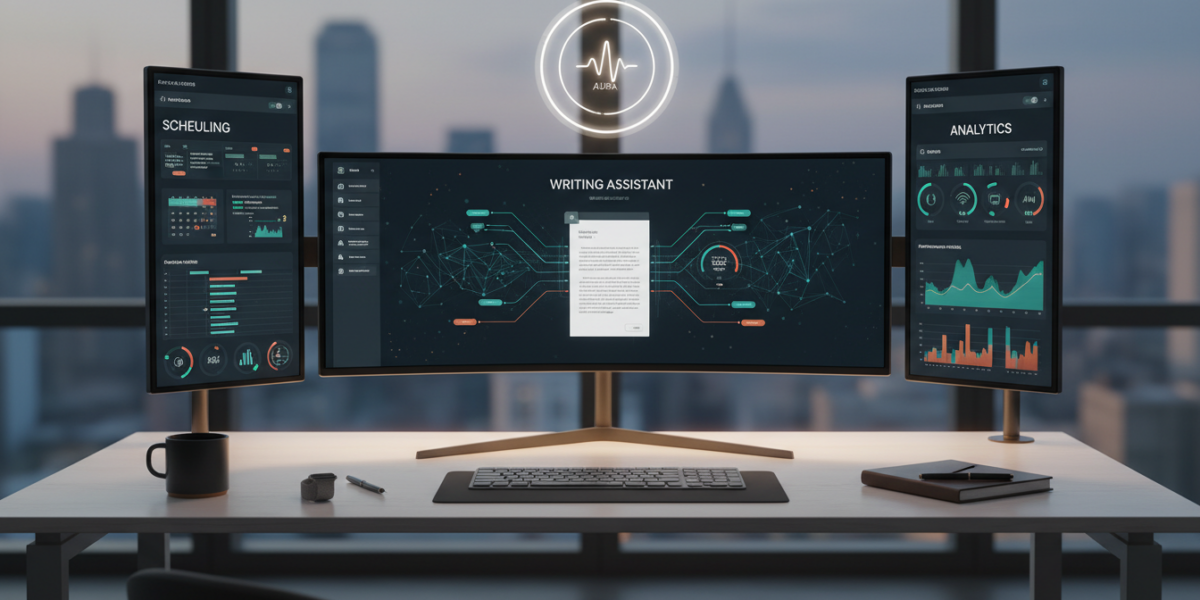
The best AI assistant apps in 2026—such as Saner.AI, ChatGPT, Gemini, and Deepseek—automate scheduling, writing, coding, and research across platforms, enabling professionals to save 5+ hours weekly, streamline workflows, and gain career leverage through intelligent task delegation and energy-aware planning.
TL;DR
- The best AI assistant apps in 2026 automate scheduling, writing, coding, and research—with some offering energy-aware planning via wearable integration.
- Top tools include Saner.AI, ChatGPT, Gemini, Claude, Grok, Copilot, Pi, Perplexity, Deepseek, and Meta AI—each optimized for specific workflows and ecosystems.
- Gemini excels for Google Workspace users; Grok and Meta AI lead in Apple ecosystem integration, especially for on-device actions.
- Premium tiers unlock workflow automation, cross-app sync, and real-time intelligence—free versions are limited to basic tasks.
- AI assistants don’t replace humans—they amplify output, allowing high performers to do in 2 hours what used to take 8.
- You can earn more by using AI to deliver faster work, upskill discreetly, and reposition yourself as a force multiplier in your role.
Key takeaways
- The top AI assistants of 2026 go beyond chat to automate scheduling, writing, code, and research—some even adjust to your biological energy patterns.
- Gemini dominates in Google environments; Meta AI and Grok lead on Apple devices with deep on-device integration.
- Premium plans unlock cross-app automation, source-cited research, and energy-aware scheduling—critical for serious productivity gains.
- Stacking assistants (e.g., ChatGPT + Perplexity + Saner.AI) delivers better results than relying on a single tool.
- AI isn’t replacing workers—it’s empowering the most strategic users to act like small teams and gain career leverage.
What Is an AI Assistant App?
An AI assistant app is software that uses artificial intelligence to perform tasks, make decisions, and reduce friction in your digital life. Unlike basic chatbots or voice triggers like “Hey Siri,” a 2026 AI assistant understands context across apps, learns your behavior, and acts proactively.
Think of it as a personal operations manager—quiet, efficient, and always learning. It doesn’t just respond; it anticipates.
Example: You get 80 emails daily. A basic AI sorts them. A 2026 AI assistant reads them, tags urgent messages, drafts replies to common requests, and schedules follow-ups—all before your morning coffee.
Core capabilities include:
- Integrating with calendars, email, Slack, and project tools
- Automating multi-step workflows
- Drafting responses, reports, and code
- Scheduling based on availability and energy levels (via wearable sync)
For writers, tools like ChatGPT and Claude have become indispensable. For researchers, Perplexity offers verified, source-backed insights. Explore how these tools can fit into broader AI-powered workflows.
Why AI Assistants Matter Right Now
We’ve hit a productivity ceiling. Optimizing meetings and tools no longer delivers big gains. The new frontier? Reducing invisible labor—email triage, research, scheduling—and reclaiming time for strategic work.
The 3 Forces Driving Adoption
1. The Productivity Ceiling Has Been Hit
Improvements now come not from working harder, but from working fewer visible hours. AI assistants make the invisible tasks disappear.
2. The Expectation Curve Is Rising
Managers expect faster execution, broader skills, and consistent overperformance. AI lets individuals act like small teams.
A marketing manager uses ChatGPT for blog outlines, Perplexity for trend research, and Saner.AI to auto-schedule promotions—without switching apps. Output triples. Visibility increases.
3. Ecosystem Lock-In Is Breaking—But Only If You’re Smart
Apple, Google, and Microsoft are embedding AI deeper into their platforms. But the winners aren’t those who stick to one ecosystem—they’re the ones who stack assistants.
Example: Use Grok for on-device Apple actions, Gemini for Gmail intelligence, and Saner.AI to merge insights into a unified, energy-aware calendar.
How AI Assistant Apps Actually Work
AI assistants don’t “think.” They follow a three-layer system:
1. Understanding Layer (Perception)
Uses multimodal AI to process text, voice, images, and app data. It reads your calendar, emails, Slack messages, and even meeting audio.
Example: Gemini sees a calendar invite labeled “Q2 Strategy,” pulls last quarter’s report from Drive, and summarizes gaps.
2. Decision Layer (Reasoning)
Applies rules and pattern recognition. It learns: Do you write best in the morning? Do you ignore emails after 7 PM?
Example: Copilot notices you code between 10 AM and 12 PM—and preloads suggestions during that window.
3. Action Layer (Execution)
Triggers automation: sends emails, creates tasks, schedules focus blocks. Advanced tools like Deepseek sync with wearables to schedule deep work during high-HRV periods.
No single app masters all layers—yet. But the best combine two or more for seamless execution.
Real-World Examples That Prove the Value
Example 1: The Freelancer Who 3X’d Her Income
Challenge: Spent 5 hours/day on client emails, proposals, and admin.
Solution: Used ChatGPT + Saner.AI + Perplexity.
- ChatGPT: Drafted client emails and proposals in her voice
- Perplexity: Researched client industries in under 30 seconds
- Saner.AI: Auto-scheduled discovery calls based on mutual availability and energy peaks
Result: Cut admin from 5 hours to 1.5, took on 2 extra clients, increased income by 220%.
Example 2: The Product Manager Who Became a “Genius”
Challenge: Behind on documentation and meeting notes.
Solution: Activated Gemini in Google Workspace + Copilot in IDE.
- Gemini: Listened to Zoom calls, summarized takeaways, created Asana tasks
- Copilot: Wrote internal tool scripts while she focused on user flows
Result: Delivered 3 major features 2 weeks early. Got promoted.
Example 3: The Executive Who Reclaimed 12 Hours a Week
Challenge: Calendar chaos. No time to think.
Solution: Switched from Fantastical to Deepseek + Reclaim (owned by Dropbox).
- Reclaim: Protected 2-hour focus blocks using AI
- Deepseek: Scheduled recurring tasks during low-energy windows
- Wearable sync: Avoided deep work when HRV indicated burnout risk
Result: Gained 12 hours/week. Used time to mentor team and drive strategy.
Best AI Assistant Apps in 2026: Head-to-Head Comparison
| AI Assistant | Key Features | Best For | Ecosystem | Pricing (Monthly) | Unique Edge |
|---|---|---|---|---|---|
| Saner.AI | Task automation, cross-platform sync, energy-aware scheduling | Professionals needing workflow control | All | $19.99 (Pro) | Integrates Outlook, Google, Apple calendars with AI-driven prioritization |
| ChatGPT (Plus) | Natural language mastery, writing, ideation | Writers, marketers, generalists | All | $20 | Best-in-class text generation; custom GPTs for niche tasks |
| Gemini (Ultra) | Multimodal AI, Gmail/Drive/Meet integration, voice actions | Google Workspace users | $22 (Gemini Advanced) | Reads images in emails, suggests replies, auto-schedules from text | |
| Claude 3.5 | Long-context memory (up to 200K tokens), document analysis | Researchers, legal, analysts | All | $20 | Reads 500-page reports, retains memory across chats |
| Grok (X.ai) | Real-time knowledge, voice control, on-device actions | Power users, fast decisions | X (Twitter), Apple | $16 | Tied to real-time data; useful for risk assessment |
| Copilot (Microsoft) | Code suggestions, Teams integration, PowerShell automation | Developers, IT, Windows users | Microsoft 365 | $20 (as part of M365 E3) | Deep IDE integration; fixes bugs instantly |
| Pi (Inflection) | Emotional intelligence, gentle coaching, mental health tone | Beginners, emotional support | All | Free (Premium: $10) | Feels like talking to a calm advisor—great for stress-prone roles |
| Perplexity Pro | Source-cited research, real-time web search, no hallucinations | Researchers, founders, analysts | All | $20 | Explains where answers come from; ideal for high-stakes decisions |
| Deepseek | Energy-aware scheduling, habit formation, Reclaim integration | Leaders, remote workers | All | $18 | Syncs with wearables (Apple Watch, Oura) to optimize schedule |
| Meta AI | Deep Apple ecosystem integration, voice actions, offline mode | Apple users | Apple | Free (with iCloud+) | Works without internet; best for quick on-device tasks |
Note: Siri and Alexa are not true AI assistants in 2026. They’re voice triggers. The leaders are tools that act, not just respond.
How to Integrate an AI Assistant into Your Workflow
Don’t just install. Design a system.
Step 1: Audit Your Pain Points
Ask:
- What tasks consume time but add low value? (Email triage, scheduling, note-taking)
- What decisions do you delay? (“I’ll research that later.”)
Step 2: Match Problems to Assistants
| Problem | Best Assistant |
|---|---|
| “I spend 2 hours/day answering emails” | ChatGPT or Gemini |
| “My calendar is unmanageable” | Saner.AI or Deepseek |
| “I’m slow at writing reports” | Claude or Perplexity |
| “I forget to follow up” | Pi or Copilot with reminder chains |
| “I write code but get stuck” | Copilot |
Step 3: Set Up Integrations
- Connect to calendar, email, Slack, and task apps
- Start in “read-only” mode, then allow actions
- Example: In Saner.AI, enable “suggest times” before “auto-schedule”
Step 4: Test for 7 Days
- Run parallel to manual process
- Track hours saved
- Adjust rules: “No meetings after 4 PM,” “30 minutes between calls”
Step 5: Scale
- Add automation pipelines (e.g., “If an email says ‘urgent’ from my boss, create a task and notify me”)
- Stack assistants: Use Perplexity to research, ChatGPT to draft, Saner.AI to schedule review
Start small: Automate one repeatable task first—like email triage or meeting note summaries.
How to Earn More Using These Tools
The real ROI isn’t time saved. It’s career leverage.
1. Become the “Quiet Overachiever”
Use AI to deliver faster, cleaner work—without announcing it.
You submit a 20-page market analysis in 2 days (normally takes a week). Boss assumes you’re a rockstar. You get promoted.
2. Free Up Time to Learn High-Value Skills
Reclaim 10 hours/week. Use it to study data analytics, negotiation, or AI prompt engineering.
3. Package and Sell the System
Create a $497 AI-Powered Executive Workflow course. Use your own tools to generate content, edit videos, and manage clients.
4. Offer AI Optimization as a Service
Help small firms set up their AI stack. Charge $1,500–$5,000/project. Start with real estate agents, coaches, or law firms.
Costs and ROI: What You’re Really Paying For
| App | Monthly Cost | Time Saved (Est.) | Hourly Value (At $50/hr) | ROI |
|---|---|---|---|---|
| ChatGPT Plus | $20 | 4 hrs/week | $800/month | 4,000% |
| Saner.AI | $19.99 | 5 hrs/week | $1,000 | 5,000% |
| Perplexity Pro | $20 | 3 hrs/week | $600 | 3,000% |
| Gemini Advanced | $22 | 3.5 hrs/week | $700 | 3,180% |
| Deepseek | $18 | 6 hrs/week | $1,200 | 6,666% |
Rule of thumb: If an AI assistant saves you 3+ hours per week, it pays for itself—even at $100/hour.
Myths vs. Facts About AI Assistants
| Myth | Fact |
|---|---|
| “AI will replace me.” | AI assists. The people who use it well will replace those who don’t. |
| “These tools are only for tech people.” | ChatGPT and Pi have interfaces so simple, 10-year-olds use them. |
| “They’re not accurate.” | Models like Perplexity and Claude cite sources. Gemini pulls from your own data. |
| “I’ll lose control of my schedule.” | You set the rules. AI executes—within boundaries. |
| “They’ll make me lazy.” | They make rote work invisible. You focus on strategy, creativity, and relationships. |
| “Only big companies use them.” | Freelancers and solopreneurs are adopting AI assistants faster than enterprises. |
The top 10% of earners in 2026 aren’t the hardest workers. They’re the most leveraged.
FAQ
What’s the best AI assistant for Apple users?
Meta AI and Grok lead for deep on-device integration. Use Meta for routine tasks, Grok for fast decision-making.
Can I use multiple AI assistants at once?
Yes—and you should. Stack them: Use Gemini in Gmail, ChatGPT for writing, Saner.AI for scheduling.
Do any AI assistants work offline?
Meta AI and Grok offer limited offline voice and action support on iOS and X apps.
Is my data safe with AI assistants?
Only if you use enterprise-grade tools with on-device processing or zero-data retention policies. Avoid public models for confidential work.
Which AI is best for students?
Pi for gentle, supportive coaching; Perplexity for research with citations.
How do I start without feeling overwhelmed?
Pick one assistant, one use case, and one metric (e.g., “Save 2 hours/week on email using ChatGPT”). Master it. Scale.
Key Takeaways: Your Next 3 Moves
1. Pick one assistant from the top 5 (Saner.AI, ChatGPT, Gemini, Claude, Perplexity) based on your biggest pain point.
2. Set up a 7-day trial focused on one task—email, scheduling, or research.
3. Calculate your time saved and ROI. If it saves 3+ hours, upgrade to premium.
Don’t wait. In 2026, your competition is already using these tools. The divide isn’t between AI users and non-users. It’s between those who use AI passively and those who use it to win.
Glossary
Glossary
- AI Assistant: Software that uses artificial intelligence to perform tasks, make decisions, and automate workflows across apps.
- Energy-Aware Auto-Scheduling: AI that schedules tasks based on your biological energy patterns (via wearable data) rather than just calendar availability.
- Multimodal AI: AI that processes text, voice, images, and app data together to understand context more deeply.
- Hallucination: When an AI generates false or fabricated information. Top tools like Perplexity now minimize this with source citation.
- Workflow Automation: Rule-based actions that trigger across apps (e.g., “If an email contains ‘invoice,’ save attachment to Dropbox and notify me”).
References
References
- Morgen. “Why Fantastical Isn’t Enough: The Case for AI-Powered Scheduling.” 2025.
- Zapier. “Reclaim Is Now Part of Dropbox: The Future of AI Time Management.” 2025.
- Saner.AI. “Top 10 AI Assistants in 2026.” Official Blog, January 2026.
- Thunai. “Gemini vs. Siri: Why Contextual AI Beats Voice Commands.” February 2026.