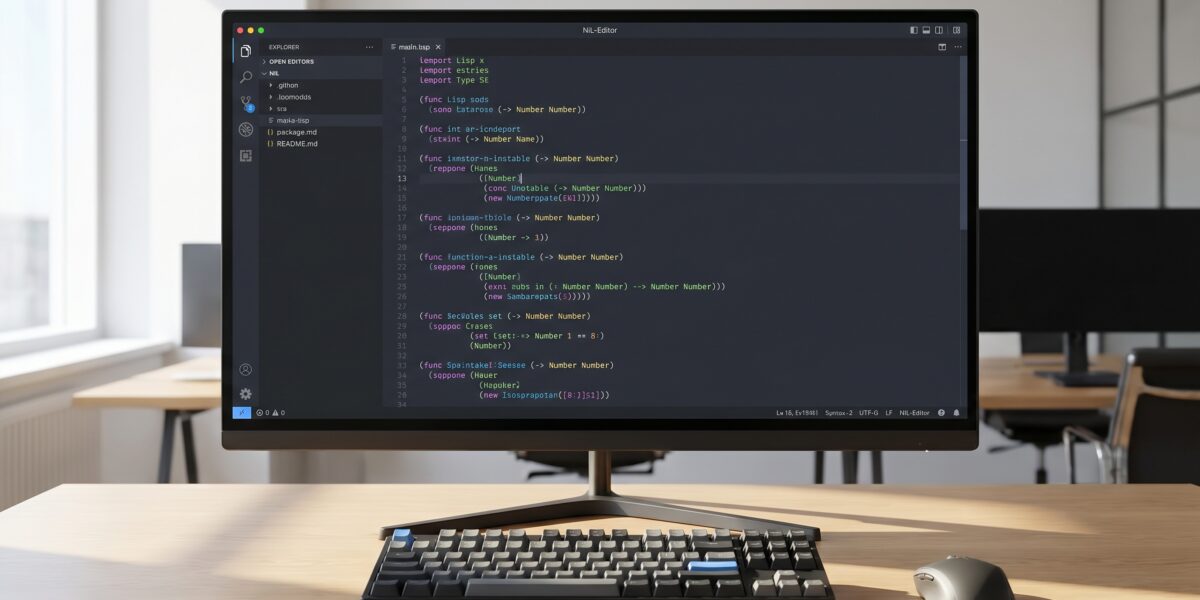
Mine IDE is a newly released Integrated Development Environment specifically designed for Coalton and Common Lisp programming languages. It provides native support for both languages with integrated type checking, debugging, and project management tools, available for Windows, macOS, and Linux.
TL;DR
- First IDE with native Coalton support
- Cross-platform compatibility
- Real-time type checking and debugging
- Free and open-source (MIT License)
- Growing community adoption
Key takeaways
- Mine IDE eliminates configuration headaches for Lisp developers
- Native Coalton support enables robust type safety in Lisp environments
- Cross-platform availability makes adoption accessible across teams
- Integrated tooling reduces debug time and improves productivity
- Free licensing removes barriers for commercial and personal use
What Is Mine IDE?
Mine is a purpose-built Integrated Development Environment designed specifically for developers working in Coalton and Common Lisp. It consolidates editing, debugging, compilation, and type-checking into a single interface, eliminating the need to juggle multiple tools or configure complex environments.
Unlike general-purpose text editors, Mine understands Lisp semantics—particularly Coalton’s type system—and provides real-time feedback, autocompletion, and structured navigation.
Who this is for: Lisp developers, researchers, functional programming enthusiasts, and engineers building high-assurance systems where type safety matters.
Why Mine Matters Right Now
Common Lisp has always offered powerful capabilities, but tooling has historically lagged behind modern languages. Coalton introduced strong typing to Lisp, but until now, developers lacked a dedicated environment to use it smoothly.
Mine arrives as interest in reliable, high-performance Lisp grows across several critical domains:
- Algorithmic trading systems
- Automated theorem proving
- AI and symbolic reasoning applications
- Compiler design and implementation
If you work in these fields, Mine significantly reduces development friction and increases confidence in your codebase through its integrated type checking and debugging capabilities.
How Mine Works
Mine integrates several essential components into a cohesive development experience:
- A code editor with advanced syntax highlighting and parenthesis-aware structural editing
- A type checker that highlights Coalton type errors in real-time
- An integrated REPL for interactive development and testing
- A debugger with stack inspection and variable tracing capabilities
- Project management tools designed for multi-file Lisp programs
The environment continuously analyzes your code as you write, catching type mismatches, unbound variables, and syntax issues before execution.
Real-World Use Cases
Early adopters are already applying Mine in production scenarios:
- Formal verification: Using Coalton’s type system to encode logical constraints and prove properties
- Data processing: Building typed pipelines with zero runtime overhead
- Education: Teaching Lisp concepts with immediate feedback and reduced debugging time
- Embedded DSLs: Combining Common Lisp macros with typed core components
One developer reported: “I reduced debug time by 40% because type errors are caught before I even run the code.”
Comparison With Other Environments
| Tool | Coalton Support | Common Lisp Support | Debugging | Learning Curve |
|---|---|---|---|---|
| Mine | Native | Native | Integrated | Low |
| SLIME (Emacs) | Limited | Excellent | Advanced | High |
| VSCode | Plugin-based | Plugin-based | Basic | Medium |
| LispWorks | None | Excellent | Professional | High (Paid) |
Mine isn’t trying to replace decades of Emacs customization for power users. Instead, it aims to be the default choice for developers who want batteries-included Lisp development without configuration overhead.
Getting Started
Installation: Download from the official Mine IDE page. Available for Windows (EXE), macOS (DMG), and Linux (AppImage or source).
First launch: Open Mine, create a new Coalton or Common Lisp project, and start coding. The type checker and REPL activate by default.
Costs and Licensing
Mine is free and open-source under the MIT License. There are no tiers, subscriptions, or paid plugins.
This licensing approach enables:
- Easy adoption across teams and organizations
- Community contributions to development
- Commercial use without licensing concerns
Risks and Limitations
As a new tool, Mine has certain considerations:
- New codebase: Being young, you might encounter bugs or missing features
- Plugin ecosystem: Doesn’t yet match Emacs’ extensive plugin library
- Learning curve: Coalton requires learning typed functional programming concepts
Myth vs Fact
❌ Myth: “Coalton is just a research language.”
✅ Fact: Coalton is used in production for high-assurance systems, and Mine makes it practical for daily use.
FAQ
Does Mine work with existing Common Lisp projects?
Yes. Mine supports existing Common Lisp projects and integrates with standard build tools.
Can I use Mine with Quicklisp or ASDF?
Yes. Mine integrates with common Lisp build tools including Quicklisp and ASDF.
Is there documentation available?
Yes. The official website includes comprehensive guides and examples.
How does Mine handle macros?
Full support for Common Lisp macros. Coalton code can also use macros via inline Common Lisp.
Glossary
Coalton: A statically-typed functional language embedded in Common Lisp
Common Lisp: A multiparadigm, high-performance Lisp dialect
REPL: Read-Eval-Print-Loop, an interactive console for immediate code execution
Type Checker: Tool that verifies code consistency before execution
References
- Official Mine IDE Page – Coalton-lang
- Coalton Language GitHub – Coalton-lang
- Hacker News Discussion – Hacker News
- Common Lisp Wikipedia – Wikipedia